
Your Browsing History
Lowest price in 30 days


LOWEST PRICE
In Computer Peripherals
Shop Department
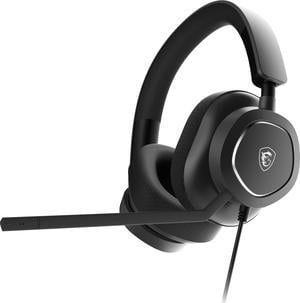
MSI MAESTRO300 Wired Gaming Headset, USB-C, 40mm Neodymium Drivers, Detachable Unidirectional (Cardioid) Mic, Lightweight, PC/Mac/PlayStation®/Nintendo Switch™/Android & iOS
- Brand: MSI
- Part Number: MAESTRO 300
- Compatibility: Android / iOS / Mac / Nintendo Switch / PC / PlayStation / PlayStation 4 / PlayStation 5
- Color: Black
- Model #: MAESTRO300
- Item #: N82E16826554074
- Return Policy: Standard Return Policy
$44.99
$74.99
Est. Shipping Fee $0.99
Eligible for Free Shipping
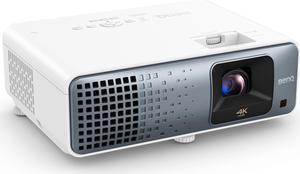
BenQ TK710 4K 3200lm HDR Laser Gaming Projector
- Brand: BenQ
- Series: Gaming Projector
- Part Number: TK710
- Cabinet Color: White
- Model #: TK710
- Item #: N82E16824014963
- Return Policy: Replacement Only Return Policy
$2,099.99
$2,266.99
Free Shipping
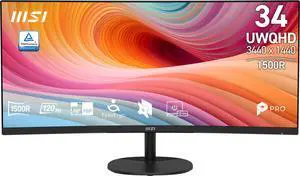
MSI 34 inch UltraWide QHD 2K 1440P 120Hz Adaptive Sync 1ms HDR Ready Built-in Speaker Curved Computer Monitor PRO MP341CQ E12
- Resolution: 3440 x 1440
- Refresh Rate: 120Hz
- Monitor Pixel Density: 0.23175mm
- Display Colors: 1.07B, 10bits (8bits + FRC)
- Model #: PRO MP341CQ E12
- Item #: N82E16824475554
- Return Policy: Standard Return Policy
$312.99
$341.99
$29.99 Shipping
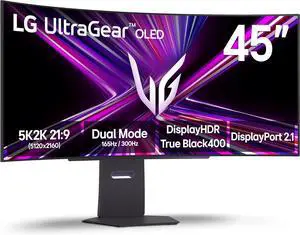
LG UltraGear 45" WUHD DUAL MODE 4K 165Hz FHD 330Hz FreeSync Premium Pro G-SYNC compatible 0.03ms USB-C HDR400 Curved OLED Gaming Computer Monitor with Height Adjustable, Swivel & Tilt stand 45GX950A-B
- Screen Size: 45"
- Refresh Rate: 165Hz
- Resolution: 5120 x 2160 (5K)
- Response Time: 0.03 ms (GtG)
- Model #: 45GX950A-B
- Item #: N82E16824026470
- Return Policy: 15-Day Return Policy
$2,150.99
$38.51 Shipping
Finally, an ultrawide that is 1440, I couldn't stand the 1440 monitors as their PPI was lower. Love this monitor!
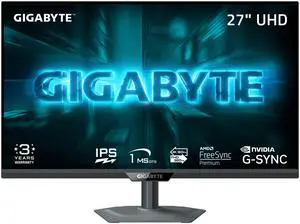
GIGABYTE 27 inch Dual Mode UHD 4K 160Hz Full HD 320Hz IPS AMD FreeSync Premium & G-SYNC Compatible HDR400 Gaming Computer Monitor with Height Adjustable, Swivel, Pivot & Tilt Stand G27U
- Screen Size: 27"
- Refresh Rate: 160Hz
- Resolution: 3840 x 2160 (4K)
- Response Time: 1 ms
- Model #: G27U
- Item #: N82E16824012114
- Return Policy: 15-Day Return Policy
$479.99
$17.95 Shipping
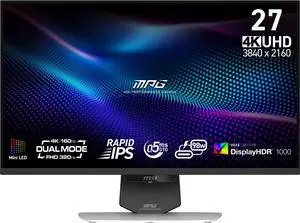
MSI 27" Dual Mode UHD 4K 160Hz FHD 320Hz Mini LED IPS 0.5ms HDR1000 USB-C Gaming Computer Monitor Height Adjustable, Pivot, Swivel & Tilt stand for both PC and Console Gaming MPG 274URDFW E16M
- Screen Size: 27"
- Refresh Rate: 160Hz
- Resolution: 3840 x 2160 (4K)
- Response Time: 0.50 ms
- Model #: MPG 274URDFW E16M
- Item #: N82E16824475528
- Return Policy: Standard Return Policy
$669.99
$729.99
Free Shipping
The screen is very bright in HDR 1000. I love it!
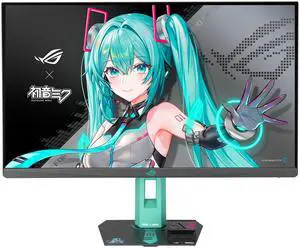
ASUS ROG Strix 27" QHD 2K 1440P 260Hz IPS with AMD FreeSync Premium & G-Sync Compatible 0.3ms Fast IPS Hatsune Miku Edition Gaming Computer Monitor with Height Adjustable, Swivel, Pivot & Tilt Stand
- Screen Size: 27"
- Refresh Rate: 260Hz
- Resolution: 2560 x 1440 (2K)
- Response Time: 1ms(GTG), 0.3ms(min.)
- Model #: XG27ACMEG-G
- Item #: N82E16824281388
- Return Policy: 15-Day Return Policy
$560.99
$599.99
$17.95 Shipping
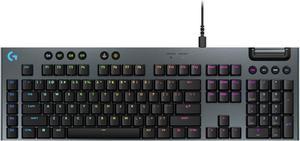
Logitech G915 X Low Profile Mechanical Gaming Keyboard - GL Red Linear Switches, RGB Backlighting - Black
- Brand: Logitech
- Part Number: 920-012950
- Keyboard Interface: USB + LIGHTSPEED + Bluetooth
- Design Style: Low-Profile
- Model #: 920-012950
- Item #: N82E16823126757
- Return Policy: Standard Return Policy
$202.49
Free Shipping
This review is for the "Clicky" model. Rigid construction. Doesn't flex, bend or make any creaky noise. Just heavy enough to sit firmly on your lap without sliding around. Very useful if you're sitting on the sofa! Has light "clicky" sound when keys are pressed, but it's not loud or annoying. Back-light dims after being idle for several seconds, then turns off after a few more seconds. BUT, the keys still work, so you can start typing again without missing a letter, and the back-light comes on again the moment you press any key. You will quickly learn to appreciate this thoughtful design point. Battery life is good considering the back-lighting and all the tech built into this unit. I clocked it at approximately 18 hours of full back-lit gaming plus another 8.5 hours of full back-lit typing and internet before plugging it in to recharge. It was still working OK when i plugged it in to recharge. Works like any standard wireless keyboard with the included USB receiver/dongle, and also on Bluetooth. Conveniently placed buttons along the top of keyboard offer quick selection of either wireless connection or Bluetooth. The USB charging cable can also be used as a USB extender cable so you can place the USB receiver/dongle out in the open for best reception. Numerous lighting configurations are possible. You can create your own or freely download configurations made by other users. Logitech has set up a nice section on their website for the "G-Series" gaming stuff. Look for G-Series logo, not for general "Keyboards" section. Numerous key macros can be configured and saved for quick selection.
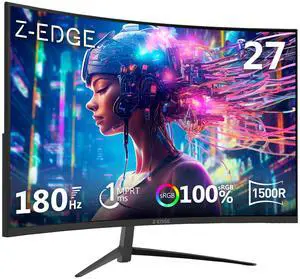
Z-EDGE UG27 27" 1080P 180Hz 1ms Curved Gaming Monitor | FreeSync Compatible | 350cd/m² | Ultra-Slim Bezel | HDMI 2.1, DP 1.4
- Screen Size: 27"
- Refresh Rate: 180Hz
- Resolution: 1920 x 1080
- Response Time: 1 ms
- Model #: UG27
- Item #: 9SIBUTHK706080
- Return Policy: View Return Policy
$179.99
$229.99
Free Shipping
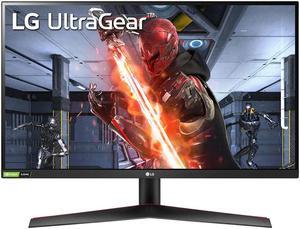
LG UltraGear 27GN60R-B 27" FHD 1920 x 1080 144 Hz HDMI, DisplayPort NVIDIA G-SYNC Compatible with AMD FreeSync Premium Flat Panel Monitors - LCD Flat Panel
- Screen Size: 27"
- Refresh Rate: 144Hz
- Resolution: 1920 x 1080
- Response Time: 1 ms (GTG at Faster)
- Model #: 27GN60R-B
- Item #: 9SIA9H5JX29738
- Return Policy: View Return Policy
$215.99
$19.99 Shipping
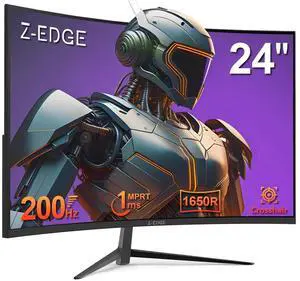
Z-EDGE 24" 1080P Full HD 200Hz 1ms Ultra Thin Frame Curved Gaming Monitor, FreeSync Compatible, HDMI, DP
- Screen Size: 24"
- Refresh Rate: 200Hz
- Resolution: 1920 x 1080
- Response Time: 1 ms
- Model #: NEUG24
- Item #: 9SIBUTHKMH5046
- Return Policy: View Return Policy
$139.99
$169.99
Free Shipping
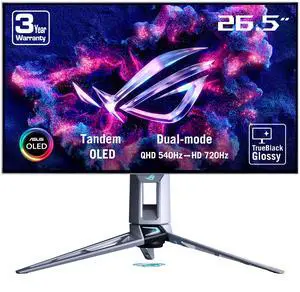
ASUS ROG Swift 27" (26.5" viewable) Dual Mode QHD 1440P 540Hz Full HD 720Hz AMD FreeSync Premium Pro & G-SYNC compatible 0.02ms HDR500 OLED Gaming Computer Monitor Glossy True Black PG27AQWP-W
- Screen Size: 26.5"
- Refresh Rate: Dual-Mode QHD@540Hz/HD@720Hz
- Resolution: 2560 x 1440 (2K)
- Response Time: 0.02 ms(GTG)
- Model #: PG27AQWP-W
- Item #: N82E16824281395
- Return Policy: 15-Day Return Policy
$1,349.99
$18.50 Shipping
-Super smooth image at 540hz -Amazing colors and brightness, especially in HDR games -Build quality is superb -Lucky enough to have very faint banding issues to where I barely can see it
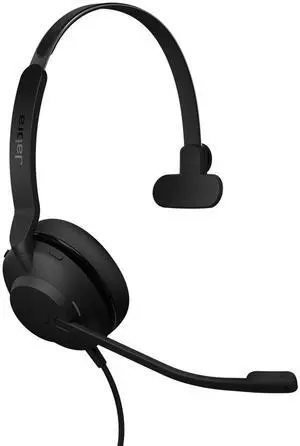
Jabra Evolve2 30 SE (2025 Version) Wired Single-Ear Headphones with Microphone Computer Headset - USB-A and USB-C Cable - Microsoft Teams Certified - Works with All Meeting Platforms Black
- Brand: Logitech
- Connector: USB
- Ear Coupling: Circumaural
- Wireless Type: RF
- Model #: 23189-899-879-01
- Item #: 1VH-000B-006A1
- Return Policy: Standard Return Policy
$113.99
Free Shipping
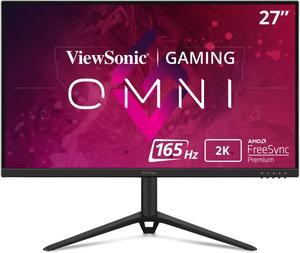
ViewSonic OMNI VX2728J-2K 27 Inch Gaming Monitor QHD 2560 x 1440 (2K) 165Hz 1ms IPS w/ FreeSync Premium, Advanced Ergonomics, HDMI, DP
- Screen Size: 27"
- Refresh Rate: 165Hz
- Resolution: 2560 x 1440 (2K)
- Response Time: 2.5ms
- Model #: VX2728J-2K
- Item #: N82E16824117161
- Return Policy: 15-Day Return Policy
G sync compatible cheap 1440p 165hz no curved nonsense height adjustable
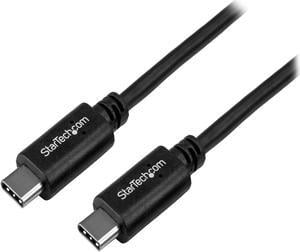
StarTech.com 1m 3 ft USB C Cable - M/M - USB 2.0 - USB Type C Cable - Compatible with USB C laptops & mobile devices such as Apple MacBook, Dell XPS, Nexus 6P / 5X & more
- Type: Consumer Electronics
- Connector Number: 1
- Connector Detail: Connector A:USB Type-C (24-pin) USB 2.0 Male Connector B:USB Type-C (24-pin) USB 2.0 Male
- Terminal Gender: Male to Male
- Model #: USB2CC1M
- Item #: N82E16812400714
- Return Policy: Standard Return Policy
$18.28
$20.99
$1.99 Shipping

Kensington Charge & Sync USB-C Cable 5-Pack
- Brand: Kensington
- Connector Type: USB A to USB C
- Model #: K65610WW
- Item #: 181-0069-000C9
- Return Policy: Standard Return Policy
$26.53
Free Shipping
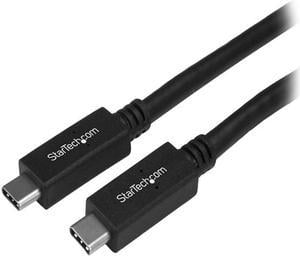
StarTech USB31CC50CM USB C to UCB C Cable - 0.5m - Short - M/M - USB 3.1 (10Gbps) - USB C Charging Cable - USB Type C Cable - USB-C to USB-C Cable
- Type: USB 3.1
- Connector Type: USB C to USB C
- Connector Number: 2
- Connector Detail: Connector A: 1 x USB Type-C (24 pin) USB 3.1 (10Gbps) Male Connector B: 1 x USB Type-C (24 pin) USB 3.1 (10Gbps) Male
- Model #: USB31CC50CM
- Item #: N82E16812399153
- Return Policy: Standard Return Policy
$25.39
$1.99 Shipping
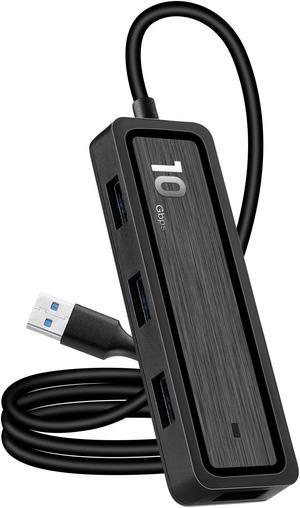
WIILGN 4-Port USB 3.1 Gen 2 Hub, 10Gbps SuperSpeed USB C Hub 3.1 Type C Multi Splitter Adapter, 6 In 1 Video File SD/TF Card Reader with 20CM Cable for MacBook PC Flash Drive
- Color: Black
- Standards: USB 3.1
- Max Devices Supported: 6 FireWare Devices
- Ports: 4 x USB 3.1 Gen 2,SD/TF Card Reader
- Model #: Hubs-TF-CQT360
- Item #: 9SIC5TKKU48783
- Return Policy: View Return Policy
$51.32
$52.32
Free Shipping
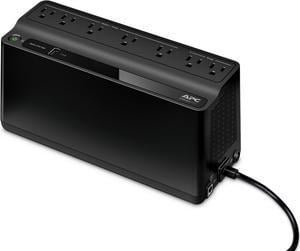
APC BE600M1 Back-UPS 600VA, 120V, 1 USB charging port, 7 NEMA outlets (2 surge) - Tower - 10 Hour Recharge - 3.20 Minute Stand-by - 120 V Input - 120 V AC Output
- Outlets: 7
- Battery Run Time: Run Time at Half load: 11.75 minutes Run Time at Full load: 3.2 minutes
- Output Frequency: 50/60Hz +/- 3 Hz
- Battery Recharge Time: 10 Hours
- Model #: BE600M1
- Item #: N82E16842301669
- Return Policy: Manufacturer Only Return Policy
$125.99
$129.99
Free Shipping
- The APC DE600M1 Back-UPS 600 VA 330 watts is a lot smaller than some other similar units. - Just plug it in, plug in whatever devices you want on either battery / surge (5 outlets) or just surge (2 outlets), press the power button and it just goes! - I really enjoy the PowerChute software with the Back-UPS. You can configure the utility to safely shut your computer down under specific circumstances (either when the computer has been using the battery backup for a selected amount of time OR shut your computer down when the battery only has a selected amount of time left). Connect the USB cable from the Back-UPS to your computer. Download the PowerChute software from APC-dot-com. Run the installer and you’re good to go. Launch the PowerChute software and you get different options like Monitor System (Performance, Current Status, Run Self-Test, and Energy Usage), Configuration (Options, Run-time, Notification, Sensitivity, and Voltage), Help and Support (Help, Technical Data, Contact APC, and About). While you could use this as a stand-alone battery backup, the Back-UPS’s full potential is unlocked when you use PowerChute! - It has a USB port on the Back-UPS for charging your mobile devices (1.5A).
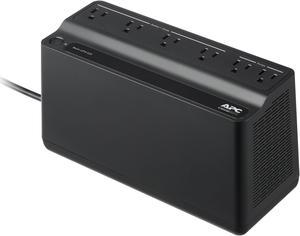
APC BE425M Battery Back-UPS 6 Outlets, 425VA, 120V - Tower - 8 Hour Recharge - 3 Minute Stand-by - 120 V AC Input - 120 V AC Output - 6 x NEMA 5-15R - Power Protection
- Outlets: 6
- Battery Run Time: Full Load (255W): Around 2 minutes Half Load (127.5W): Around 10 minutes
- Output Frequency: 50/60 Hz +/- 3 Hz Sync to mains
- Battery Recharge Time: 8 Hour(s)
- Model #: BE425M
- Item #: N82E16842301670
- Return Policy: Manufacturer Only Return Policy
$99.99
$101.99
Free Shipping
Small and easily concealed. APC is a trusted brand in UPS makers.