
Your Browsing History
BEST SELLERS


BEST SELLERS
In Switches
Our most popular products, based on sales and updated frequently.Shop Department
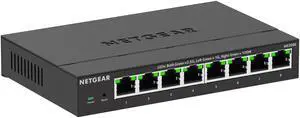
Netgear MS308E Multi-Gigabit (2.5G) Ethernet Easy Smart Managed Essentials Switch, MS308E-100NAS
- Brand: NETGEAR
- Part Number: MS308E-100NAS
- Standards: Networking Standards: IEEE 802.3 IEEE 802.3ab IEEE 802.3u IEEE 802.1p IEEE 802.1Q IEEE 802.3x IEEE 802.3bz IEEE 802.3az IEEE 802.3ad
- Network Media: Media Type Supported: Twisted Pair Ethernet Technology: 2.5 Gigabit Ethernet Network Technology: 2.5GBase-T
- Model #: MS308E-100NAS
- Item #: 9SIA7BBKGB4897
- Return Policy: View Return Policy
$256.86
Free Shipping
The MS305 (pay attention to the model number when purchasing) is a fine addition to a home network, especially with moving moderately large amounts of data between devices (pictures, streaming, archives) internally or via the Internet.
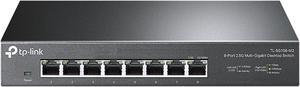
TP-Link TL-SG108-M2 | 8 Port Multi-Gigabit Unmanaged Network Switch, Ethernet Splitter | 2.5G Bandwidth | Plug & Play | Desktop/Wall-Mount | Fanless Metal Design | Limited Lifetime Protection
- Format: Desktop
- Standards: IEEE 802.3, 802.3u, 802.3ab, 802.3x, 802.1p, 802.3bz
- Primary Ports: 8 x RJ45
- Primary Port Speed: 2.5 Gbps
- Model #: TL-SG108-M2
- Item #: N82E16833704544
- Return Policy: Standard Return Policy
$89.99
$149.99
Free Shipping
- Full 2.5gbps speed on all ports! - It does the job without any compromise. I've saturated the 2.5gb ports many times and it performs well.
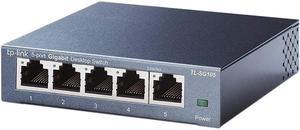
TP-Link 5 Port Gigabit Ethernet Network Switch - Ethernet Splitter | Plug & Play | Fanless | Sturdy Metal w/ Shielded Ports | Traffic Optimization | Unmanaged | Limited Lifetime Protection(TL-SG105)
- Brand: TP-Link
- Format: Desktop
- Standards: IEEE802.3, IEEE802.3u, IEEE802.3ab, IEEE802.3x
- Network Management Type: Unmanaged
- Model #: TL-SG105
- Item #: 9SIA7BB2JK5302
- Return Policy: View Return Policy
$50.52
Free Shipping
I hooked this up and all is going well. Very easy, lousy instructions, but works great for me.
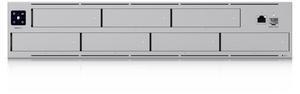
Ubiquiti Networks - (UNAS-Pro)
- Model #: UNAS-Pro
- Item #: 0XP-000A-006A8
- Return Policy: Standard Return Policy
$703.99
Free Shipping
Fits into the Ubuiquti ecosystem perfectly. Lowest price by far for anywhere near the quality and specifications for a NAS of this kind. 10 gigabit port. My Mac can format it APFS, just like an external drive. File sharing is a breeze. Security is easy to set up. Seven drive bays. RAID 5, 6, and 1+0 (with hot spare). Multiple volumes. Perfect integration into Ubiquity ecosystem.
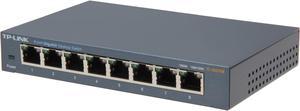
TP-Link 8 Port Gigabit Ethernet Network Switch | Ethernet Splitter | Sturdy Metal w/ Shielded Ports | Plug-and-Play | Traffic Optimization | Unmanaged (TL-SG108)
- Brand: TP-Link
- Format: Desktop
- Standards: IEEE802.3, IEEE802.3u, IEEE802.3ab, IEEE802.3x
- Network Management Type: Unmanaged
- Model #: TL-SG108
- Item #: N82E16833704173
- Return Policy: Standard Return Policy
$29.99
Est. Shipping Fee $5.99
Eligible for Free Shipping
An EggExpert Review: The purpose of a network switch is to allow you to add more wired ports to your router. Most home routers come with a five port switch built into them. By connecting one port off of your router to one port on this switch you have now added seven more ports to connect your wired devices. The TP-Link TL-SG108 is an excellent choice for a home network switch as it has 8 ports that operate in a 10/100/1000Mb per second mode for each port on the switch. Based on the color of the light above each port it will tell you if that device connected to that port is operating at 10/100Mbps or 1000Mbps. Yellow is 10/100 Mbps which is what most pc will communicate with the internet or you network most of the time. The 1000Mbps range would only be green and used for uploading or downloading files, or streaming data like watching a movie from your home server on your pc via your network. This switch could also be used for a small office. I stress small office or home use as this switch operates in Mbps not MBps. A business network often measure their network in MBps. The difference is speed. Mbps means Million Bits Per Second. MBps means Million Bytes Per Second. It takes 8 bits to equal 1 byte. Example: 10MBps = 80Mbps, 100MBps = 800Mbps, and 1000MBps = 8000Mbps. Other attributes of this switch are it has a small foot print and it is attractive, so if you actually had it sitting atop your desk it would not be an eye sore. Although you would want to induce cable management as you wouldn’t want Cat5e or Cat6 cables all over your desk.
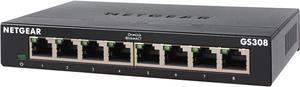
Netgear GS308 8-Port Gigabit Ethernet Unmanaged Switch, GS308-300PAS
- Brand: NETGEAR
- Part Number: GS308-300PAS
- Format: Desktop or wallmountable
- Standards: IEEE 802.3ab 1000BASE-T Gigabit Ethernet IEEE 802.3u 100BASE-TX Fast Ethernet IEEE 802.3i 10BASE-T Ethernet IEEE 802.3x Flow Control IEEE 802.1p Priority QoS (all models) IEEE 802.1p Priority QoS and DSCP (except GS308P, GS316) IEEE 802.3 CSMA / CD 802.3az Energy Efficient Ethernet
- Model #: GS308-300PAS
- Item #: N82E16833222029
- Return Policy: Standard Return Policy
$29.99
$33.99
$5.99 Shipping
If you need to put all your devices, (PC, TV, NVR, Laptops, Printer) on the internet than you need to buy this. Wire ethernet is much faster and more error free than wireless.
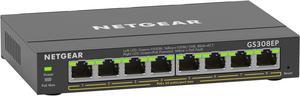
Netgear GS308EP 8-Port Gigabit Ethernet PoE+ Smart Managed Plus Switch (62W), GS308EP-100NAS
- Brand: NETGEAR
- Part Number: GS308EP-100NAS
- Format: Wall Mountable Desktop Rack-mountable
- Standards: IEEE 802.3 Ethernet IEEE 802.3ab 1000BASE-T IEEE 802.3u 100BASE-T IEEE 802.3ab 1000BASE-T EEE 802.1p Class of Service IEEE 802.1Q VLAN Tagging IEEE 802.3x Full-duplex Flow Control IEEE 802.3af PoE IEEE 802.3at PoE+
- Model #: GS308EP-100NAS
- Item #: N82E16833222146
- Return Policy: Standard Return Policy
OUT OF STOCK
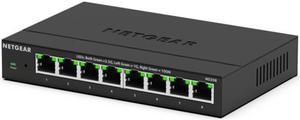
Netgear MS308 8-Port 2.5G Multi-Gigabit Ethernet Unmanaged Switch, MS308-100NAS
- Brand: NETGEAR
- Part Number: MS308-100NAS
- Format: Desktop Wall mount
- Standards: IEEE 802.3 IEEE 802.3bz IEEE 802.3ab IEEE 802.3u IEEE 802.3az IEEE 802.1p IEEE 802.3x
- Model #: MS308-100NAS
- Item #: N82E16833222332
- Return Policy: Standard Return Policy
$169.99
$249.99
Free Shipping

Ubiquiti Pro HD 24 PoE, Layer 3 PoE Switch (USW-Pro-HD-24-PoE (600W))
- Brand: Ubiquiti Networks
- Part Number: USW-Pro-HD-24-PoE
- Format: Rackmount
- Network Management Type: Managed
- Model #: USW-Pro-HD-24-PoE
- Item #: 0XP-000A-006A9
- Return Policy: Standard Return Policy
$1,394.99
$1,401.99
Free Shipping

Tp Link TP-Link Omada 5-Port 2.5G Multi-Gigabit Desktop Switch - 5 Ports - 2.5 Gigabit Ethernet - 2.5GBase-T - 2 Layer Supported - 5.81 W Power Consumption - Twisted Pair - Desktop - DS105G-M2
- Model #: DS105G-M2
- Item #: 0XP-001U-008T4
- Return Policy: Standard Return Policy
$104.99
Free Shipping
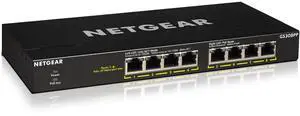
Netgear GS308PP 8-Port Gigabit Ethernet Unmanaged PoE+ Essentials Switch with 8-Ports PoE+ (83W), GS308PP-100NAS
- Brand: NETGEAR
- Part Number: GS308PP-100NAS
- Format: Desktop Wall Mountable Rack-mountable
- Standards: IEEE 802.3 CSMA/CD 802.3az Energy Efficient Ethernet
- Model #: GS308PP-100NAS
- Item #: N82E16833222061
- Return Policy: Standard Return Policy
$99.99
$149.99
Free Shipping
Small/efficient design Flexible PoE output
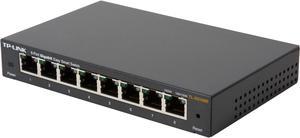
TP-Link 8 Port Gigabit Ethernet Network Switch (TL-SG108) - Ethernet Splitter Plug & Play Fanless Sturdy Metal w/ Shielded Ports Traffic Optimization Unmanaged Lifetime Protection TL-SG108E 8-
- Format: Desktop
- Standards: IEEE 802.3, IEEE 802.3u, IEEE 802.3ab, IEEE 802.3x, IEEE 802.1q, IEEE 802.1p
- Primary Ports: 8 x RJ45
- Primary Port Speed: 10/100/1000Mbps
- Model #: TL-SG108E
- Item #: N82E16833704203
- Return Policy: Standard Return Policy
$39.99
$4.99 Shipping
Used to be you’d have to spend a few hundred bucks for a managed 8 port gigabit switch. Do you need a managed switch? At this price, why not get one. I think most home users probably don’t need a managed switch, so you can use it as a dumb switch, hook it up, don’t do any setup, and don’t worry about it until you find yourself needing the extra capabilities. What can you do with a managed switch? Plenty. -- See Other Thoughts. TP-Link has several marketing terms for its 8-Port managed switches. “Easy Smart Switch” is this model. “Smart Switch” is the next level up model – the TL-SG2008 – at about twice the price. Moving up from there are the professional “Jetstream” L2 and the scalable “Jetsream” L3 models which have features like SFP slots to attach things like fiber interface modules. The main difference between the SG108E and the SG2008 is that management of this model switch is done through a Windows utility running on a Windows computer attached to the network. The SG2008 is managed via a browser based utility running on the switch and has a few more configurable features. The SG2008 also has a 4MB buffer vs. 2MB for the SG108E. They both have the same switching capacity (16 Gbps), forwarding rate (11Mpps), and Mac address capacity (8K). I think the SG108E is easier to configure. This switch is small, solid, has a metal case, and does not require a fan. There is an external power supply. Inside the metal enclosure I found a Realtek RTL8370N Layer 2 Managed 10/100/1000 Switch controller with a heat sink and 1MB attached Flash memory. Included in the retail box are also a quick set-up sheet and a Mini CD that contains a detailed 40 page pdf manual and the Configuration utility installer. The configuration utility is organized into System, Switching, Monitoring, VLAN, and QoS sections. The switch supports up to 32 port-based and tagged VLANs. It has a loop prevention feature. It supports port and 802.1p based QoS with 4 priority settings. You can do in/out bandwidth control per port. You can specify a storm control limit and apply it to one or more ports. Static LAG groups are supported. There is automatic power saving that can shut down idle ports and adjust power depending on cable lengths. Port Mirroring is supported on one port at a time. Packet counts can be monitored by interface.
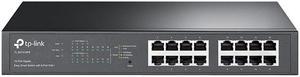
TP-Link TL-SG1016PE V3 | 16 Port Gigabit PoE Switch | Easy Smart Managed | 8 PoE+ Ports @150W | Plug & Play | Sturdy Metal w/ Shielded Ports | QoS, Vlan, IGMP & LAG | Limited Lifetime Protection
- Brand: TP-Link
- Series: ProSafe
- Part Number: TL-SG1016PE
- Format: Rackmount
- Model #: TL-SG1016PE
- Item #: 0XP-006M-00023
- Return Policy: Standard Return Policy
$189.99
Free Shipping
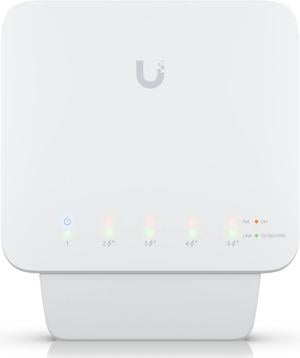
Ubiquiti Flexible 5-Port, Layer 2 PoE Switch (USW-Flex (46W))
- Brand: Ubiquiti Networks
- Series: Network Switch
- Part Number: USW-Flex (46W)
- Format: Desktop
- Model #: USW-Flex (46W)
- Item #: 9SIAH2MKVX5341
- Return Policy: View Return Policy
$149.82
Free Shipping
UniFi compatible and suited to the kinds of awful environmental conditions the old Ubiquiti Tough Switch Pro was perfect for. Being managed by UniFi rather than UISP simplifies the network, so it's GREAT to have this niche filled. Surprisingly useful to have more ports, didn't know we needed them until we had the option.
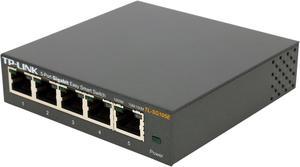
TP-Link 5 Port Gigabit Switch | Easy Smart Managed | Plug & Play | Desktop/Wall-Mount | Sturdy Metal w/ Shielded Ports | Support QoS, Vlan, IGMP and Link Aggregation (TL-SG105E)
- Brand: TP-Link
- Format: Desktop
- Standards: IEEE 802.3, IEEE 802.3u, IEEE 802.3ab, IEEE 802.3x, IEEE 802.1q, IEEE 802.1p
- Network Management Type: Unmanaged
- Model #: TL-SG105E
- Item #: N82E16833704224
- Return Policy: Standard Return Policy
$29.99
$5.99 Shipping
My favorite part about this is the QoS feature. I have my PC set to the highest priority, followed by my PS4, then my PSTV and XBox 360, and then my TV is on the lowest priority. I know the QoS feature works because I ran speed tests on my TV and my PC and there's a good 10mb/s difference between their connection speeds. I also like the colored lights. If the device the switch is hooked up to supports 10/100/1000 LAN, the light is green, otherwise orange. This is on a per device basis, so that you can easily see which devices you can safely give a lower priority to since they can't take advantage of full gigabit LAN anyway.
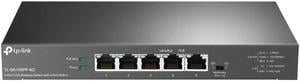
TP-Link TL-SG105PP-M2 Desktop Switch with 4-Port PoE++
- Format: Desktop
- Primary Ports: 5 x RJ45
- Primary Port Speed: 2.5 Gbps
- Primary Port Type: 5 x 10 Mbps/100 Mbps/1 Gbps/2.5 Gbps RJ45 ports
- Model #: TL-SG105PP-M2
- Item #: N82E16833704718
- Return Policy: Standard Return Policy
$199.99
Free Shipping
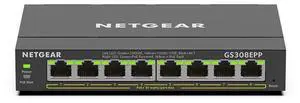
Netgear GS308EPP 8-Port PoE+ Gigabit Ethernet Plus Switch 123W, GS308EPP-100NAS
- Brand: NETGEAR
- Part Number: GS308EPP-100NAS
- Format: Wall Mountable Desktop Rack-mountable
- Standards: IEEE 802.3 Ethernet IEEE 802.3ab 1000BASE-T IEEE 802.3u 100BASE-T IEEE 802.3ab 1000BASE-T EEE 802.1p Class of Service IEEE 802.1Q VLAN Tagging IEEE 802.3x Full-duplex Flow Control IEEE 802.3af PoE IEEE 802.3at PoE+
- Model #: GS308EPP-100NAS
- Item #: N82E16833222147
- Return Policy: Standard Return Policy
$174.99
Free Shipping
All 8 ports are POE Have increased speed from older Gigabit units.
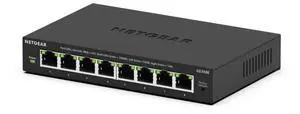
Netgear GS308E 8-Port Gigabit Ethernet Easy Smart Managed Essentials Switch, GS308E-400NAS
- Brand: NETGEAR
- Part Number: GS308E-400NAS
- Format: Desktop Wall Mountable
- Standards: IEEE 802.3az IEEE 802.1Q IEEE 802.1p IEEE 802.3 IEEE 802.3ab IEEE 802.3u IEEE 802.3x
- Model #: GS308E-400NAS
- Item #: N82E16833222346
- Return Policy: Standard Return Policy
$44.99
$54.99
$5.99 Shipping
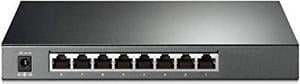
tp-link tl-sg2008 v3 | jetstream 8 port gigabit smart managed switch | omada sdn integrated | ipv6 | static routing | l2/l3/l4 qos, igmp & link aggregation |limited lifetime protec
- Model #: TL-SG2008
- Item #: 0XP-001U-00752
- Return Policy: Standard Return Policy
$109.99
Free Shipping
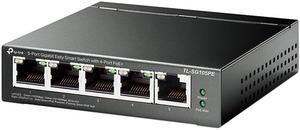
TP-Link 5 Port Gigabit PoE Switch | 4 PoE+ Port @65W | Easy Smart | Plug & Play | Limited Lifetime Protection | Shielded Ports | Support QoS, VLAN, IGMP and Link Aggregation (TL-SG105PE)
- Standards: IEEE 802.3i, IEEE 802.3u, IEEE 802.3ab, IEEE 802.3af, IEEE 802.3x, IEEE 802.1q, IEEE 802.1p, IEEE 802.3at
- Primary Ports: 5 x RJ45
- Primary Port Speed: 10/100/1000Mbps
- MAC Address Table: 2K
- Model #: TL-SG105PE
- Item #: N82E16833704531
- Return Policy: Standard Return Policy
$59.99
$69.99
Free Shipping
Easy installation. It is a "smart" switch and can provide basic information on port status and VLAN configuration.