
Your Browsing History
BEST SELLERS


BEST SELLERS
In AMD Motherboards
Our most popular products, based on sales and updated frequently.Shop Department
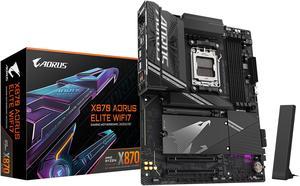
GIGABYTE X870 AORUS ELITE WIFI7 AM5 LGA 1718, ATX, DDR5, 4x M.2, PCIe 5.0, USB4, Wi-Fi 7, 2.5GbE LAN, EZ-Latch, 5-Year Warranty
- Brand: GIGABYTE
- CPU Socket Type: AM5
- Chipset: AMD X870
- Serial ATA (SATA): 4 x SATA 6Gb/s
- Model #: X870 AORUS ELITE WIFI7
- Item #: N82E16813145519
- Return Policy: Standard Return Policy
$319.99
Free Shipping
GIGABYTE X870 is a update to my GA-AX370-Gaming 5 it's still working great. So far been great MOBO lots options for fans,drives,etc. It is a haevy board come peared to my old one. Easy in install M.2 druves. No little screws to mess with. BIOS got lots adjustment you can do. Update BIOS was a breeze to install.
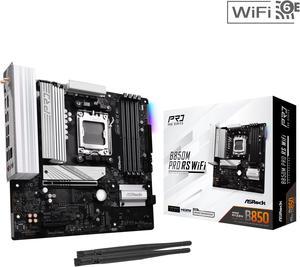
ASRock B850M PRO RS WIFI AM5 Micro ATX Motherboard
- Brand: ASRock
- CPU Socket Type: AM5
- Chipset: AMD B850
- Serial ATA (SATA): 4 x SATA 6Gb/s
- Model #: B850M Pro RS WiFi
- Item #: N82E16813162196
- Return Policy: Standard Return Policy
$179.99
$239.99
Free Shipping
Numerous m.2 slots (3) Pcie Gen5 slot Pcie Gen5 m.2 slot (1) 2.5 gigabit lan
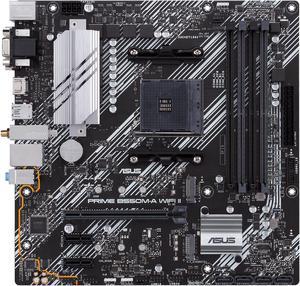
ASUS Prime B550M-A WiFi II AMD AM4 (3rd Gen Ryzen) Micro ATX Motherboard (PCIe 4.0, WiFi 6, ECC Memory, 1Gb LAN, HDMI 2.1/D-Sub, 4K@60HZ, Addressable Gen 2 RGB Header and Aura Sync)
- Brand: ASUS
- CPU Socket Type: AM4
- Chipset: AMD B550
- Serial ATA (SATA): 4 x SATA 6Gb/s
- Model #: PRIME B550M-A WIFI II
- Item #: N82E16813119580
- Return Policy: Standard Return Policy
$149.99
$169.99
Free Shipping
I've used this board to build multiple systems and it's just plain solid. Easy to build on, no problems with setup. Has all the features a hard working computer needs, and even RGB. There are plenty of headers for what you need and it also provides a wide variety of ports to use any monitor.
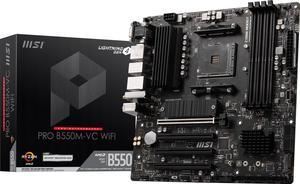
MSI PRO PRO B550M-VC WIFI AM4 MATX AMD Motherboard
- Brand: MSI
- CPU Socket Type: AM4
- Chipset: AMD B550
- Serial ATA (SATA): 4x SATA 6Gb/s ports
- Model #: PRO B550M-VC WIFI
- Item #: N82E16813144548
- Return Policy: Standard Return Policy
$139.99
$169.99
Free Shipping
-3x 4 pin fan headers(have 1 case fan conn. to pump fan header) -pretty certain it has every available rbg header -WIFI 6/Bluetooth & 7.1 audio -2x M.2 slots -loads of sata ports -bios flashback or whatever its called -debug led It basically has all the bells and whistles that a first time builder like me was looking for and besides the CPU temps not being shown in amd adrenalin from time to time (I'm sure that's not the boards fault) temps still show in bios) I have no complaints
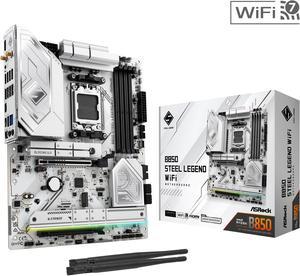
ASRock B850 STEEL LEGEND WIFI AM5 ATX Motherboard
- Brand: ASRock
- CPU Socket Type: AM5
- Chipset: AMD B850
- Serial ATA (SATA): 4 x SATA 6Gb/s
- Model #: B850 Steel Legend WiFi
- Item #: N82E16813162187
- Return Policy: Standard Return Policy
$189.99
$299.99
Free Shipping
I used this motherboard in a midsize case, fit perfectly. I used it together with an msi 1000w power supply, 240mm arctic liquid cooler, an amd ryzen cpu, and a 4070 gpu. All working perfectly.
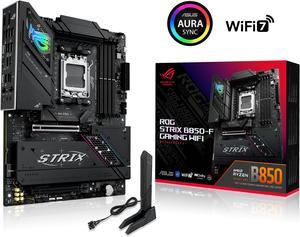
ASUS ROG STRIX B850-F GAMING WIFI AMD AM5 B850-F ATX motherboard 16+2+2 power stages, AI PC, DDR5 AEMP, WiFi 7, 4x M.2, PCIe 5.0, total support of 19 USB, 20Gbps Type-C, AI Networking II, Aura Sync
- Brand: ASUS
- CPU Socket Type: AM5
- Chipset: AMD B850
- Serial ATA (SATA): 2 x SATA 6Gb/s
- Model #: ROG STRIX B850-F GAMING WIFI
- Item #: N82E16813119702
- Return Policy: Standard Return Policy
$419.99
Free Shipping
This is one of the best MB!
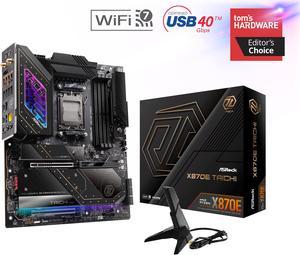
ASRock X870E TAICHI AM5 Extended ATX Motherboard
- Brand: ASRock
- CPU Socket Type: AM5
- Chipset: AMD X870E
- Serial ATA (SATA): 6 x SATA 6Gb/s
- Model #: X870E Taichi
- Item #: 9SIADDZKGK5961
- Return Policy: View Return Policy
$929.99
$53.93 Shipping
Nice ease of use features Absurdly strong power delivery No lane sharing on the GPU numerous m.2 slots with heatsinks Sturdy board build /w Beefy Heatsinks New 5gb ethernet and Wifi 7 Alot of USB options between IO panel connector and USB case headers Improved layout from prior gen products (headers don't sit under cards and post code display and pwr on buttons are at the top) Reserved Design (gimmicky "bling" factor is dialed down which I personally appreciate)
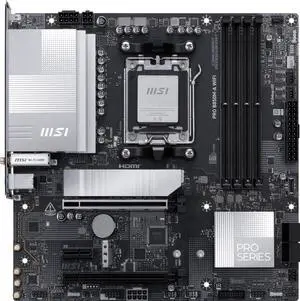
MSI PRO B850M-A WIFI AM5 , Wi-FI 7, 5G LAN, SATA 6Gbps, Bluetooth 5.4, double M.2 support,Micro ATX AMD Motherboard
- Brand: MSI
- CPU Socket Type: AM5
- Chipset: AMD B850
- Serial ATA (SATA): 4 x SATA 6Gb/s
- Model #: PRO B850M-A WIFI
- Item #: N82E16813144706
- Return Policy: Standard Return Policy
$199.99
$209.99
Free Shipping
Improved network speed and wifi. Better slot placement than the PRO 650m A board. The pci slot for expansion cards is full length so I can use a 10G network card and it has an extra PCI-E 8 pin connector for power for PCIE 5 SSD.
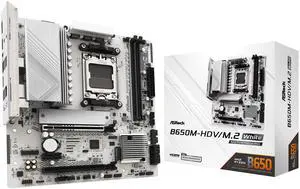
ASRock B650M-HDV/M.2 White AM5 Micro ATX Motherboard
- Brand: ASRock
- CPU Socket Type: AM5
- Chipset: AMD B650
- Serial ATA (SATA): 4 x SATA 6Gb/s
- Model #: B650M-HDV/M.2 White
- Item #: N82E16813162229
- Return Policy: Standard Return Policy
$134.99
$169.99
Free Shipping
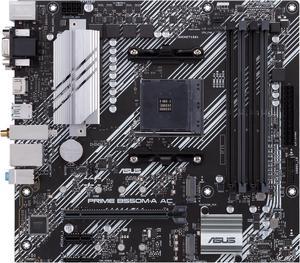
ASUS PRIME B550M-A AC AMD AM4 mATX motherboard with impressive features, including PCIe 4.0, dual M.2 slots, WiFi, HDMI, D-Sub, DVI, SATA 6 Gbps, USB 3.2 Gen 2 ports, and Aura Sync RGB lighting
- Brand: ASUS
- CPU Socket Type: AM4
- Chipset: AMD B550
- Serial ATA (SATA): 4 x SATA 6Gb/s
- Model #: PRIME B550M-A AC
- Item #: N82E16813119492
- Return Policy: Standard Return Policy
$159.99
Free Shipping
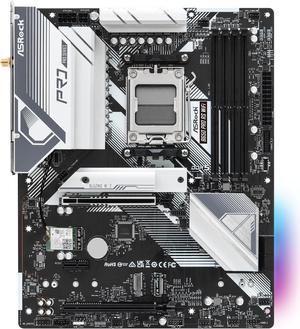
ASRock B650 Pro RS WiFi AM5 ATX Motherboard
- Brand: ASRock
- CPU Socket Type: AM5
- Chipset: AMD B650
- Serial ATA (SATA): 4 x SATA 6Gb/s
- Model #: B650 Pro RS WiFi
- Item #: N82E16813162185
- Return Policy: Standard Return Policy
$169.99
$219.99
$8.99 Shipping
It was very easy to setup, the BIOS comes with an easy mode to toggle, has a nice color and sleek design to it.
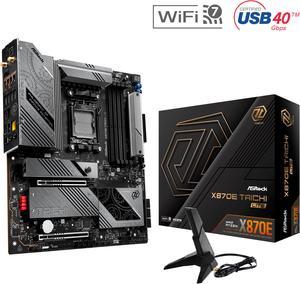
ASRock X870E Taichi Lite AM5 Extended ATX Motherboard
- Brand: ASRock
- CPU Socket Type: AM5
- Chipset: AMD X870E
- Serial ATA (SATA): 6 x SATA 6Gb/s
- Model #: X870E Taichi Lite
- Item #: N82E16813162162
- Return Policy: Standard Return Policy
$429.99
$579.99
$29.99 Shipping
-Excellent expandability -Great overall layout -Dual PCIE availability -Plenty of front and rear USB -Quick boot times with 96gb DDR5 6000
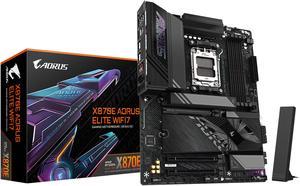
GIGABYTE X870E AORUS ELITE WIFI7 AM5 LGA 1718, ATX, DDR5, 4x M.2, PCIe 5.0, USB4, Wi-Fi 7, 2.5GbE LAN, EZ-Latch, 5-Year Warranty
- Brand: GIGABYTE
- CPU Socket Type: AM5
- Chipset: AMD X870E
- Serial ATA (SATA): 4 x SATA 6Gb/s
- Model #: X870E AORUS ELITE WIFI7
- Item #: N82E16813145517
- Return Policy: Standard Return Policy
$369.99
$439.99
$19.99 Shipping
I really like the GPU Eject button, this should be a standard on all Motherboards!
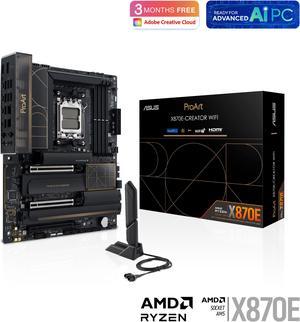
ASUS ProArt X870E-CREATOR WIFI AMD AM5 X870E ATX Motherboard PCIe 5.0 x16 slots with full support for next-gen GPUs, 16+2+2 power stages, DDR5, dual USB4, 10 Gb & 2.5 Gb LAN, WiFi 7, four M.2 slots
- Brand: ASUS
- CPU Socket Type: AM5
- Chipset: AMD X870
- Serial ATA (SATA): 4 x SATA 6Gb/s
- Model #: ProArt X870E-CREATOR WIFI
- Item #: N82E16813119688
- Return Policy: Standard Return Policy
$719.99
Free Shipping
the usual bots were lurking but was able to snag
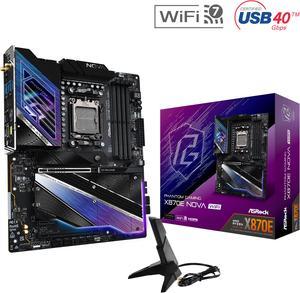
ASRock X870E NOVA WIFI AM5 ATX Motherboard
- Brand: ASRock
- CPU Socket Type: AM5
- Chipset: AMD X870E
- Serial ATA (SATA): 4 x SATA 6Gb/s
- Model #: X870E Nova WiFi
- Item #: N82E16813162163
- Return Policy: Standard Return Policy
$364.00
$499.00
Free Shipping
I've been formerly using Asus motherboards for 20 years, and finally jumped ship to Asrock. I picked up this x870e Nova mobo and I must say, it's a great value compared to a lot of the other motherboards out there. Great quality motherboard and the auto driver install for initial setup made things easy (although you should still download and install the latest AMD chipset drivers directly from AMD).
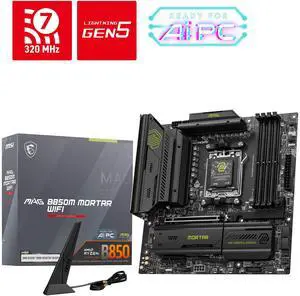
MSI MAG B850M MORTAR WIFI AM5 Micro ATX Motherboard
- Brand: MSI
- CPU Socket Type: AM5
- Chipset: AMD B850
- Serial ATA (SATA): 4 x SATA 6Gb/s
- Model #: MAG B850M MORTAR WIFI
- Item #: N82E16813144715
- Return Policy: Standard Return Policy
$279.99
$359.99
Free Shipping
Stability, temperature, tool-less M2 SSD installation, temperatures, 3rd SSD slot
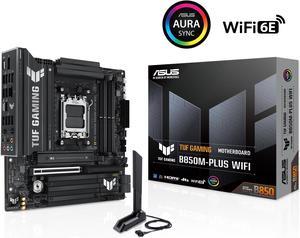
ASUS TUF GAMING B850M-PLUS WIFI AMD AM5 B850 mATX motherboard, 14+2+1 80A DrMOS stages, DDR5, PCIe 5.0, 3x M.2, Wi-Fi 6E, 2.5Gb LAN, DP, HDMI, USB 10Gbps & 20Gbps Type-C, BIOS FlashBack, Aura Sync
- Brand: ASUS
- CPU Socket Type: AM5
- Chipset: AMD B850
- Serial ATA (SATA): 4 x SATA 6Gb/s
- Model #: TUF GAMING B850M-PLUS WIFI
- Item #: N82E16813119706
- Return Policy: Standard Return Policy
$349.99
Free Shipping
This MB is a beast! Has tons of USB ports, even a Type C. Posted with a string cpu, Ryzen 9 9900x and up out the X3Ds you cant go wrong here
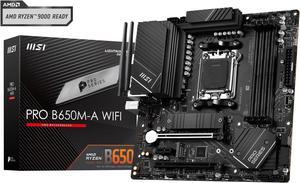
MSI PRO B650M-A WIFI AM5 AMD B650 SATA 6Gb/s DDR5 Ryzen 7000 Micro ATX Motherboard
- Brand: MSI
- CPU Socket Type: AM5
- Chipset: AMD B650
- Serial ATA (SATA): 4x SATA 6Gb/s ports (From B650 chipset)
- Model #: PRO B650M-A WIFI
- Item #: N82E16813144559
- Return Policy: Standard Return Policy
$149.99
$224.99
Free Shipping
-optional wifi attachments -allows for the replacement AMD bracket to be placed -alot of options for USB 3.0, SSD's, and M.2 drives -easy to use BIOS updater
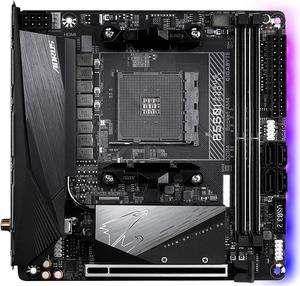
GIGABYTE B550I AORUS PRO AX AM4 AMD B550 Mini-ITX Motherboard with Dual M.2, SATA 6Gb/s, USB 3.2 Gen 1, WIFI 6, 2.5 GbE LAN, PCIe 4.0
- Brand: GIGABYTE
- CPU Socket Type: AM4
- Chipset: AMD B550
- Serial ATA (SATA): 4 x SATA 6Gb/s
- Model #: B550I AORUS PRO AX
- Item #: N82E16813145222
- Return Policy: Standard Return Policy
$259.99
$309.99
Free Shipping
All I can say is wow! I'm so happy I got this board. I've always used Asus and Gigabyte motherboards in the past, but the last PC I built was over 12 years ago, and I'm really glad Gigabyte still has it! Also, I finally made the switch from Intel to AMD with the purchase of this board, and ya, I'm really pleased.
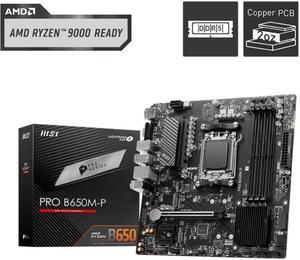
MSI PRO B650M-P AM5 Ryzen 7000 DDR5 SATA 6G 2x M.2 2.5G LAN 7.1 Audio mATX Motherboard
- Brand: MSI
- CPU Socket Type: AM5
- Chipset: AMD B650
- Serial ATA (SATA): 4 x SATA 6Gb/s
- Model #: PRO B650M-P
- Item #: N82E16813144607
- Return Policy: Standard Return Policy
$169.99
Free Shipping
Everything works as planned no cons ive seen