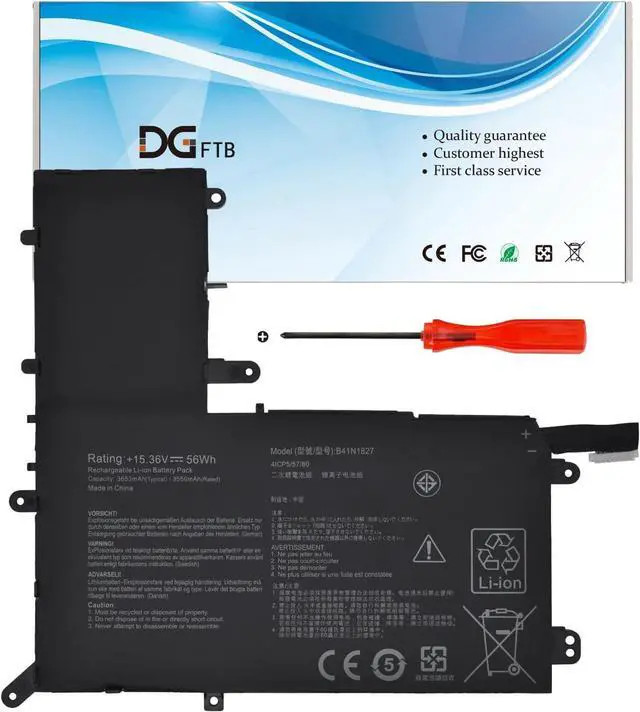
Voltage: 15.36V
Capacity: 56Wh/3653mAh
Battery Condition: Brand New
Battery Type: Lithium Ion
Compatible Part Numbers:
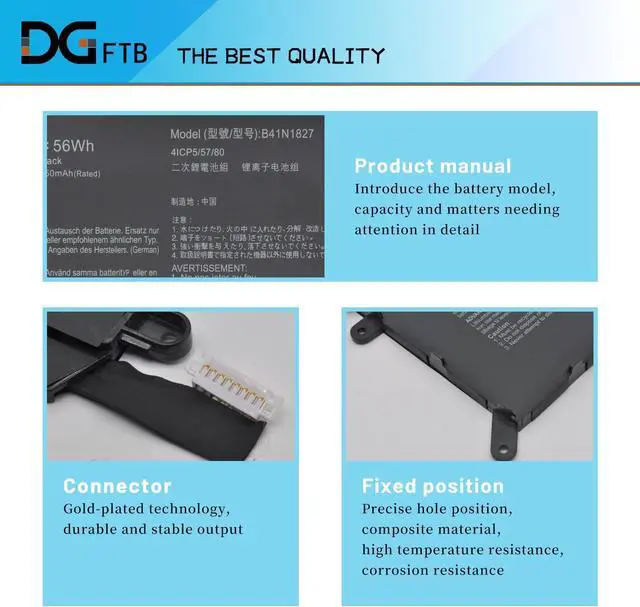
B41N1827 0B200-03070200 4ICP5/57/80.
Package included : 1* battery+1*tool
for ASUS ZenBook Flip 15 UX562FA series:
15 UX562FA-2G,15 UX562FA-2S,15 UX562FA-AC008T,15UX562FA-AC010T, 15 UX562FA-AC010R,15 UX562FA-AC012R,15 UX562FA-AC020T,
15 UX562FA-AC022T,15 UX562FA-AC023R,15 UX562FA-AC024T,15 UX562FA-AC025R,15 UX562FA-AC027T, 15 UX562FA-AC028T,
15 UX562FA-AC033T,15 UX562FA-AC034T, 15 UX562FA-AC038T, 15 UX562FA-AC040T,15 UX562FA-AC048T,15 UX562FA-AC050T,
15 UX562FA-AC051T,15 UX562FA-AC054T, 15 UX562FA-AC072T,15 UX562FA-AC079T,15 UX562FA-AC081R,15 UX562FA-AC083R,
15 UX562FA-AC084R,15 UX562FA-AC087R,15 UX562FA-AC087T,15 UX562FA-AC088R,15 UX562FA-AC091T,15 UX562FA-AC093T,
15 UX562FA-AC096T,15 UX562FA-AC102T, 15 UX562FA-AC103T,15 UX562FA-AC113T,15 UX562FA-AC117R,15 UX562FA-AC121T,
15 UX562FA-AC127T,15 UX562FA-AC065T,15 UX562FA-AC112T,15 UX562FA-AC094T.
for ASUS ZenBook Flip 15 UM562IA Series:
15 UM562IA-WB501T, 15 UM562IA-EZ021T, 15 UM562IA-EZ022T, 15 UM562IA-EZ022R.
1,Disconnect the connection between the old battery and the motherboard to avoid unnecessary damage caused by disassembling the battery. Then unscrew the old battery screws one by one and carefully save each.
2, Remove the old battery, carefully install the new battery on the battery case, and connect the wiring of the new battery.
3, If you don't understand the above steps, you can search for the video about laptop battery installation on Website. Maybe it will help you
Specification: Install A New Battery: