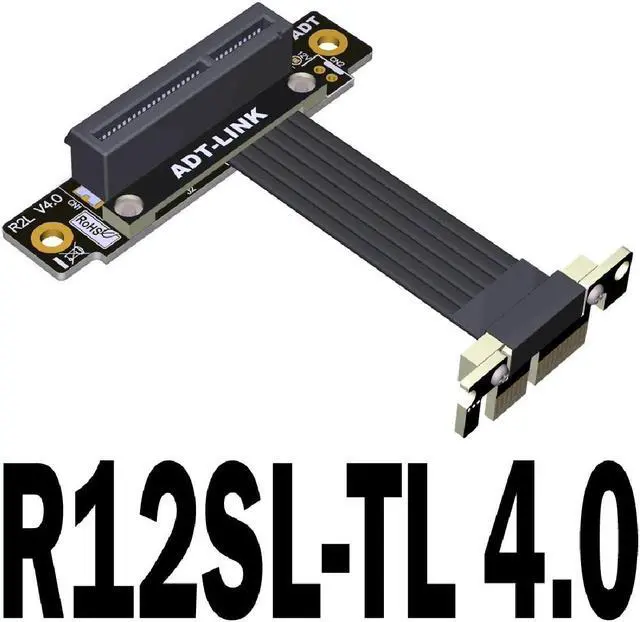
Dual 90 Degree PCI E Extension Cable PCI-E Riser Adapter PCIe 4.0 X4 To X1 Extender Flexible PC Cable For Graphics Card
Product model: R12 4.0 series
Product name: PCI-E 4.0 x1 to x4 transfer extension cable
Wire length: 3~100cm
Bandwidth speed: PCIe 4.0 x1
Applicable matching cards: wireless network card, wired network card, capture card, USB card, solid state hard disk card, support PCIe card is x4, a motherboard slot is x1 interface.
Friendly reminder: There are many compatibility problems with this product. Incorrect assembly or improper operation will burn your equipment. Only designated by professional engineers to purchase. This product is a customized product and cannot be returned or exchanged. Please consider and confirm clearly before placing an order for purchase.
Wire length description:
The length of the wire refers to the part of the visible wire, excluding PCB and connectors.
Q&A:
1)What is the quality of the wire? Is there a shield?
There is metal shielding, advanced EMI shielding conductive polymer, new materials for EMI shielding, flat cable design. This technology allows each cable to be completely covered by the electromagnetic interference shielding of conductive polymer to prevent the incidence or emission of electromagnetic frequencies, minimize interference and performance degradation, and reduce the weight of the cable
2) Is the wire soft? Can it be bent?
The cable is the fourth-generation PCIe dedicated cable developed and designed by ADT. The black cable has a thickness of 1.3 mm, the silver cable has a thickness of 1.4 mm, and the blue cable has a thickness of 0.85 mm. The cable can be bent or folded without affecting the use.
3)Why is the performance poor after connecting the extension cord? Or is it stuck slowly or not working?
When the graphics card extension cable is connected, the performance is insufficient or the function is abnormal.
There are three common problems:
1. The extension cable is assembled incorrectly. The graphics card extension cable should be installed in the graphics card slot closest to the CPU. Other slots have poor performance.
2. The golden fingers of the graphics card or the motherboard socket terminals are not in good contact or have oxides, causing the card to slow down, and the golden finger contact points should be clean.
3. The motherboard is aging, the graphics card is aging, and the equipment is more than 4 years old and does not support the use of extension cords. Please use at a lower speed if the equipment is aging or the signal is poor