• $61.19
  • Free 15-day Returns
Ships from Hong Kong.
Price alert
Shop it at NeweggBusiness.

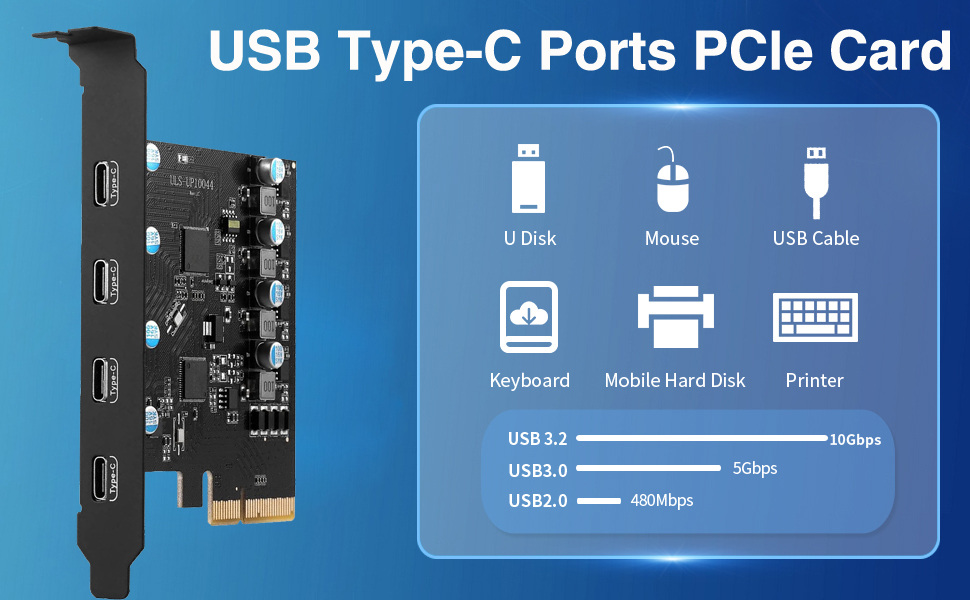
Jansicotek 4-Ports PCI-E to USB 3.2 Expansion Card, 10Gbps High Speed USB3.2 PCI-EX4 X8 X16 Adapter, Internal USB3.2 Hub Converter for Desktop PC, (4X USB C)

  • PCIe USB3.2 Card: Upgrade your computer to 4 USB3.2 ports (4 x USB C) in one step. Solve the shortage of host USB ports and connect various USB devices like keyboard, mouse, printer, smartphone, game controller,etc
  • Super Speed USB Ports: This card offers a transmission speed of up to 10 Gbps bandwidth, 20 times as fast as USB 2.0. It enables quick transfer of high-definition photos, videos, and files in seconds. Note: Doesn't support Thunderbolt protocol or monitor
  • Extensive Compatibility: USB ports support USB 3.0, 2.0 devices. USB PCIe card Supports PCIe 3.0/2.0 motherboards, PCI Express X4 to X16 slots. OS compatible: Windows 7/8/10, Mac OS 4.1/5.1/7.1/8.1. If issues, let me know
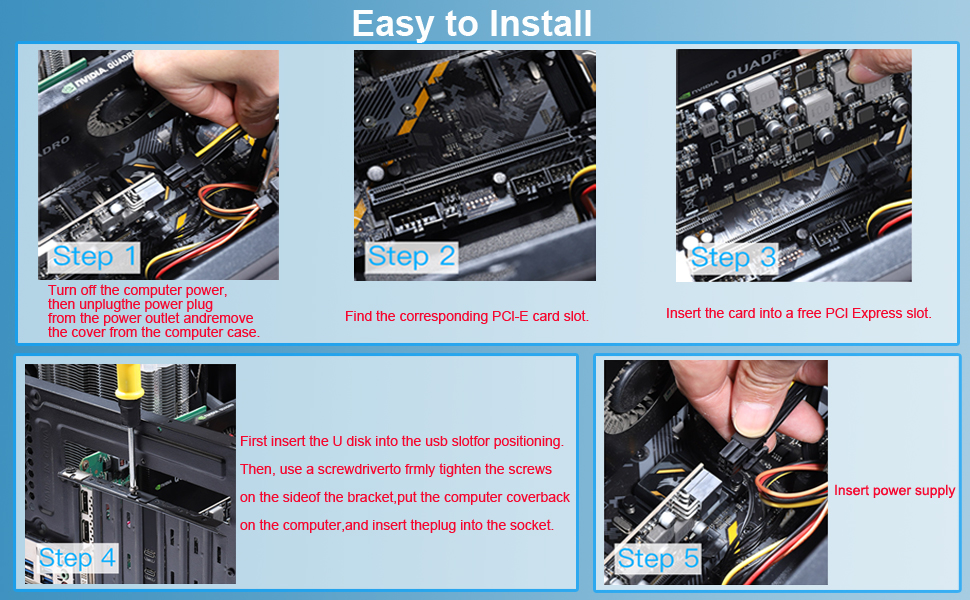
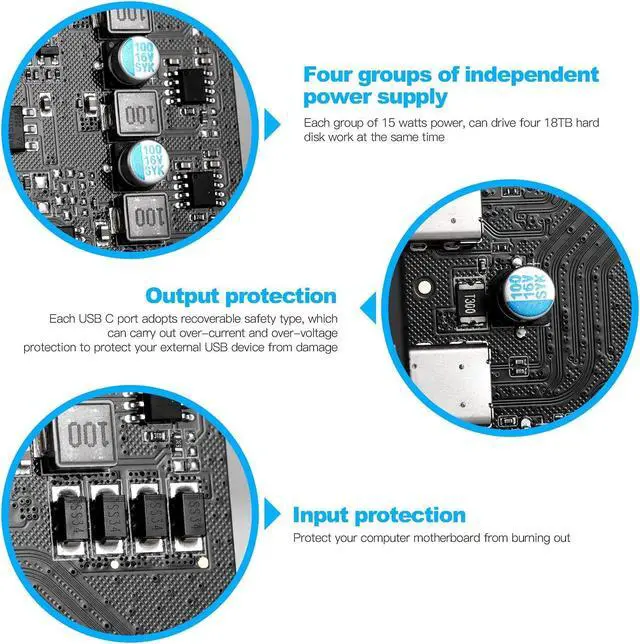
  • Easy Installation: The PCIE card gets power from the PCI Express slot, no external supply needed. Installation is effortless.Each port has a safety element for overcurrent and static protection, ensuring reliable usage
+
+
Overview
Specs
Reviews
Pcie USB Card Pcie USB 3.2
USB3.2 PCIe Card

Product advantages:

USB PCIe card has built-in Jansicotek power supply control technology with up to 45W charging power, fast charging for devices that support PD 2.0/3.0, BC 1.2 and AFC charging protocols. (For optimal PD performance, connect an external 6-pin power outlet, which requires a separate power supply .)

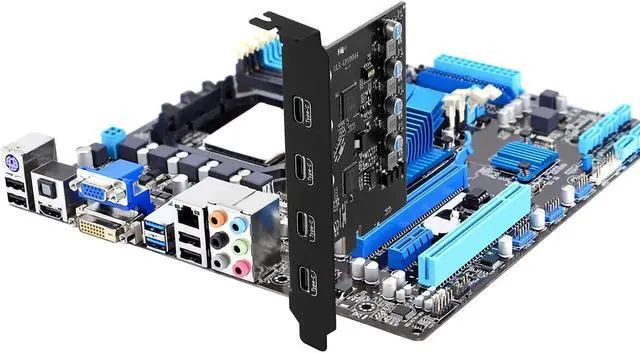
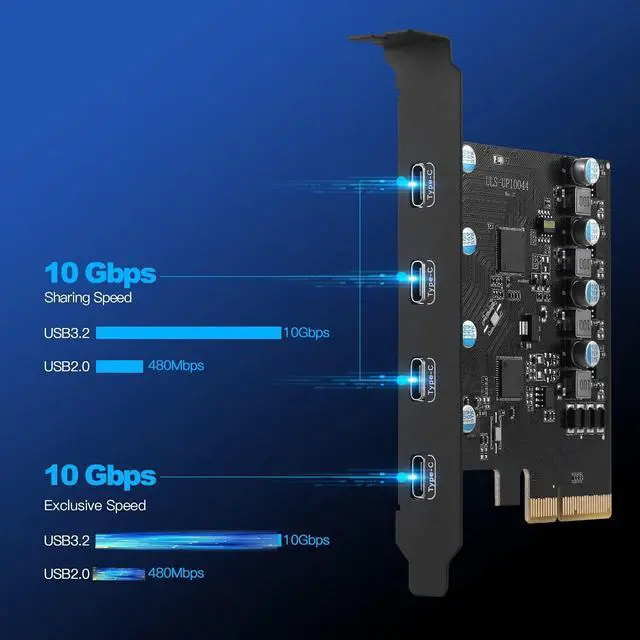
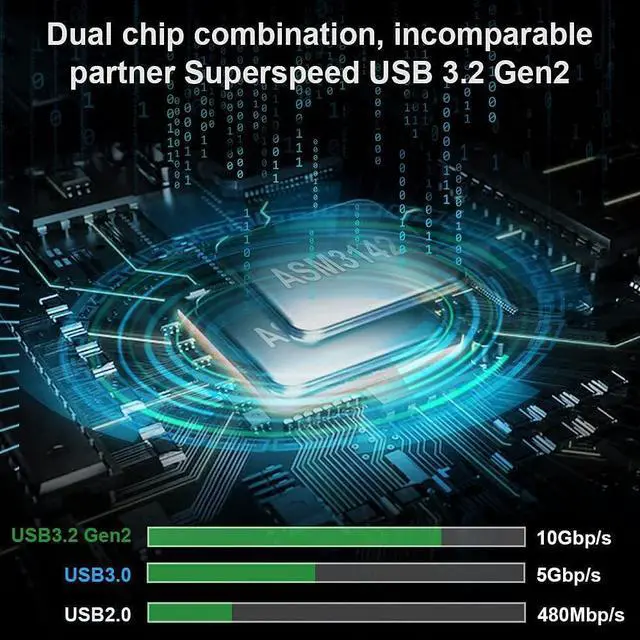
Add 4 ports on the desktop through the PCI Express slot,-each port has a maximum data transmission speed of 10Gbps to achieve a fast connection.

Internal USB card from mother board though a PCI Express Slot-Ensure stable connection and lost few data transfer speed. Do't have lost device connection issue like external USB HUB does.

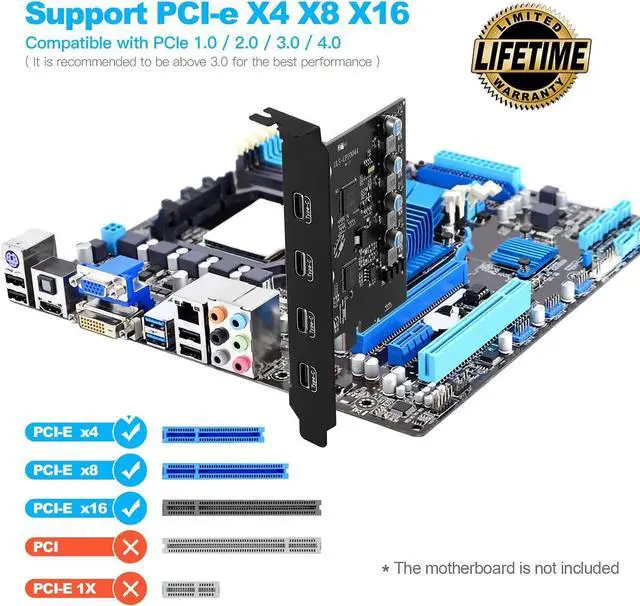
Compatible with PCIE X4,X8,X16 slot.


System Reqiurements:

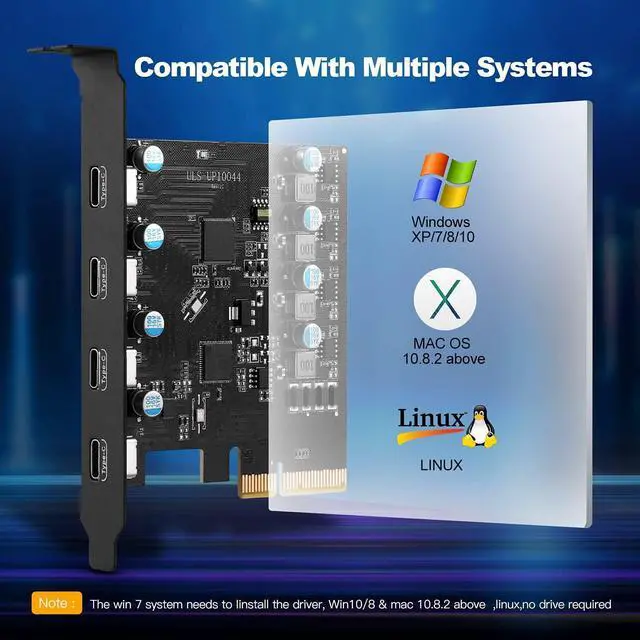
Windows XP, Vista, 7, 8, 8.1, 10(32/64bit), Windows Server 2003, 2003R2, 2008, 2008R2, 2012, 2012R2, 2016, 2019(32/64bit),

MacOS,Linux. (Dell motherboard win10 and Win11 system, there may be compatibility problems, please carefully order)
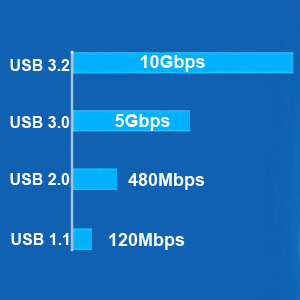
USB 3.2 gen 2 10Gbps Max Speed
  • USB 3.2 gen 2 standard, Each USB port will get 10Gbps max speed.
  • Backward compatible with USB 3.0, 2.0 480Mbps and USB 1.1 12Mbps.
  • Light up high resolution USB 3.0 graphic adapters, easy stream Pro HD video source.
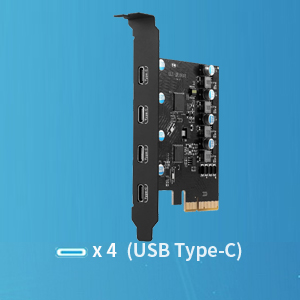
4 USB Type-C Ports
4 USB Type-C Ports
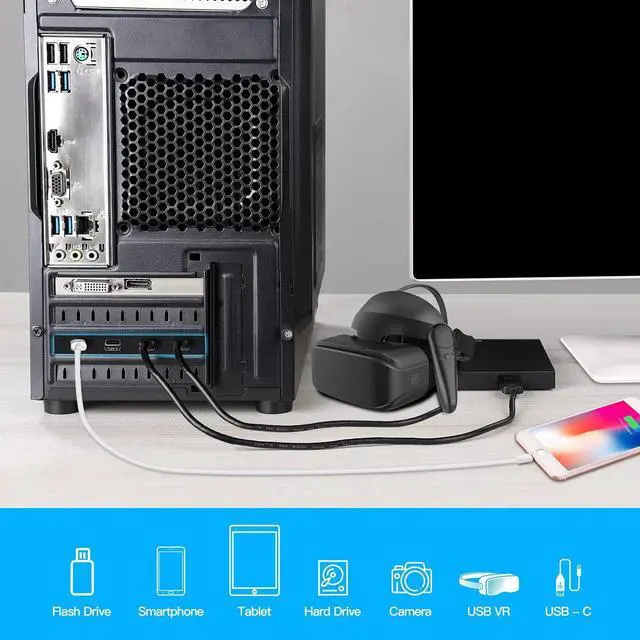
  • Connect keyboard, mouse, external hard drives, CD/DVD drives, webcams,usb printers, scanners, game controllers,USB VR, digital cameras, etc
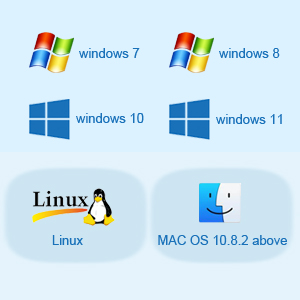
Support Windows and Mac OS
  • No need to install drivers on Windows 11, 10, 8.x (32/64bit) and Windows Server 2012, 2012R2, 2016, 2019, 2022 systems.
  • Need to Install Driver on Windows XP, Vista, 7 (32/64bit) and Windows Server 2003, 2003R2, 2008, 2008R2 (32/64bit) systems.
  • Plug and Play on most Linux kernels.
  • Support MAC OS 10.8.2 Above
Pcie USB Card Pcie USB 3.2
PCIe USB 3.2
Card: Upgrade your computer to 4 USB 3.2 ports (4 x USB C) in one step. Solve the shortage of host USB ports and connect various USB devices like keyboard, mouse, printer, smartphone, game controller, etc
Super Speed USB Ports: This card offers a transmission speed of up to 10 Gbps bandwidth, 20 times as fast as USB 2.0. It enables quick transfer of high-definition photos, videos, and files in seconds.
Note: Doesn't support Thunderbolt protocol or monitor
Extensive Compatibility: USB ports support USB 3.0, 2.0 devices. USB PCIe card Supports PCIe 3.0 / 2.0 motherboards, PCI Express X4 to X16 slots.
OS compatible: Windows 7/8/10, Mac OS 4.1 / 5.1 / 7.1 / 8.1. If issues, let me know
Easy Installation: The PCIE card gets power from the PCI Express slot, no external supply needed. Installation is effortless. Each port has a safety element for overcurrent and static protection, ensuring reliable usage

Warranty & Returns

Warranty, Returns, And Additional Information

Warranty

  • Please contact the Seller directly for warranty information. Warranty information may also be found on the Manufacturer's website.
  • CONTACT

Return Policies

Manufacturer Contact Info

LOADING...