

• $62.69
  • Free 15-day Returns
Ships from Hong Kong.
Price alert
Shop it at NeweggBusiness.

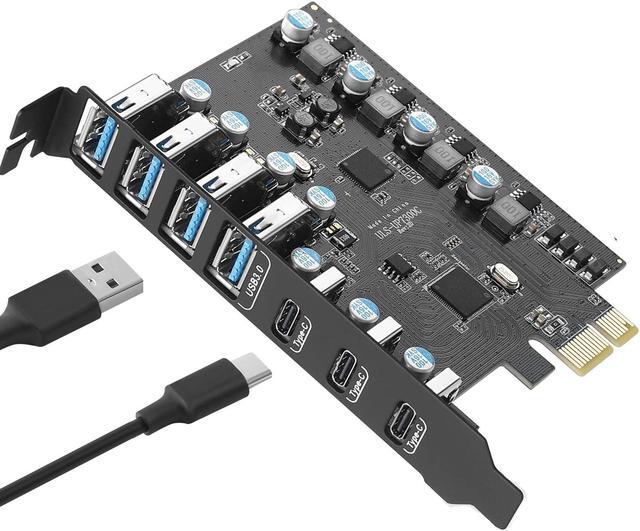
Jansicotek 7 Ports PCI-E to USB 3.0 Expansion Card, 5Gbps High Speed USB3.0 PCI-EX1 X4 X8 X16 Adapter, Internal USB3.0 Hub Converter for Desktop PC, (3X USB C - 4X USB A)

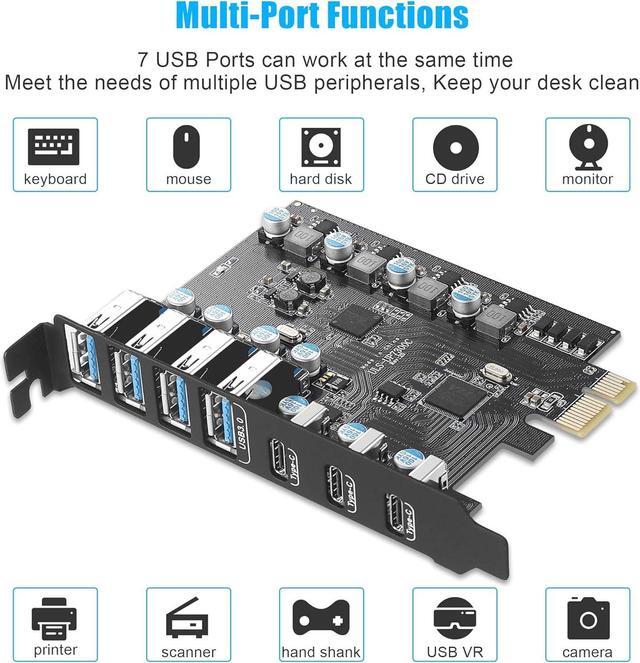
  • PCIe USB Card: Upgrade your computer to 7 USB ports (3 x USB C, 4 x USB A) in one step. Solve the shortage of host USB ports and connect various USB devices like keyboard, mouse, printer, smartphone, game controller,etc
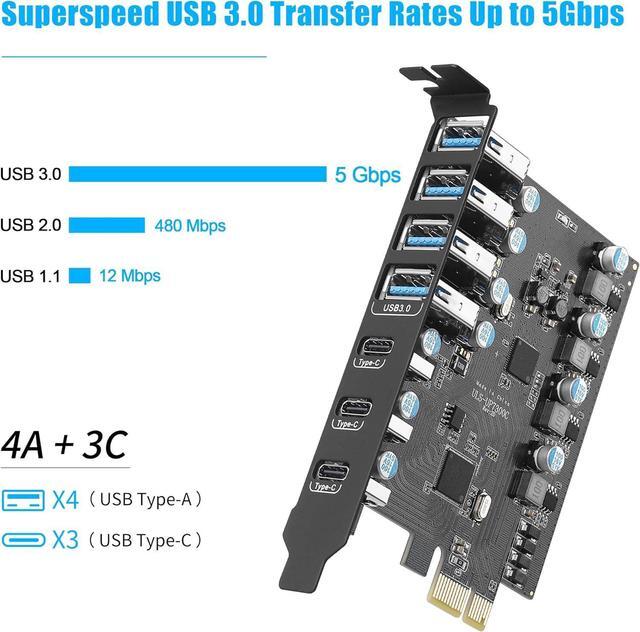
  • Super Speed USB Ports: This card offers a transmission speed of up to 5 Gbps bandwidth, ten as fast as USB 2.0. It enables quick transfer of high-definition photos, videos, and files in seconds. Note: Doesn't support Thunderbolt protocol or monitor
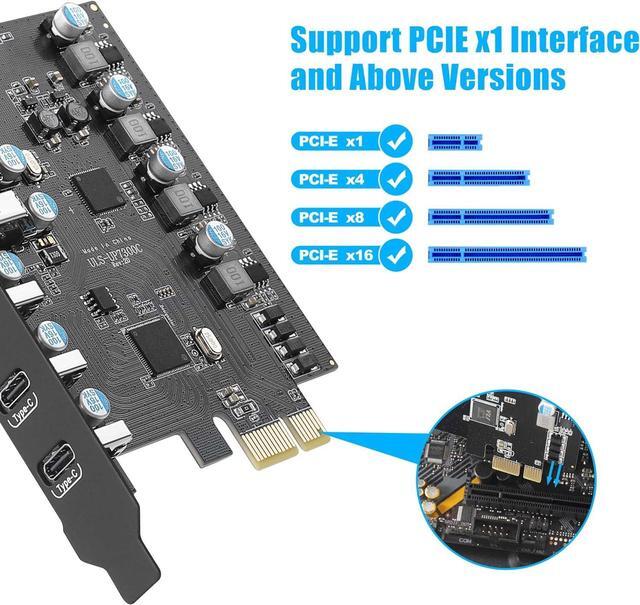
  • Extensive Compatibility: USB ports support USB 3.0, 2.0 devices. USB PCIe card Supports PCIe 3.0/2.0 motherboards, , Fits PCI Express x1, x4, x8 or x16 socket. OS compatible: Windows 7/8/10, Mac OS 4.1/5.1/7.1/8.1. If issues, let me know
  • Easy Installation: The PCIE card gets power from the PCI Express slot, no external supply needed. Installation is effortless.Each port has a safety element for overcurrent and static protection, ensuring reliable usage
+
+
Overview
Specs
Reviews

7 Ports USB Expansion Card

About this item
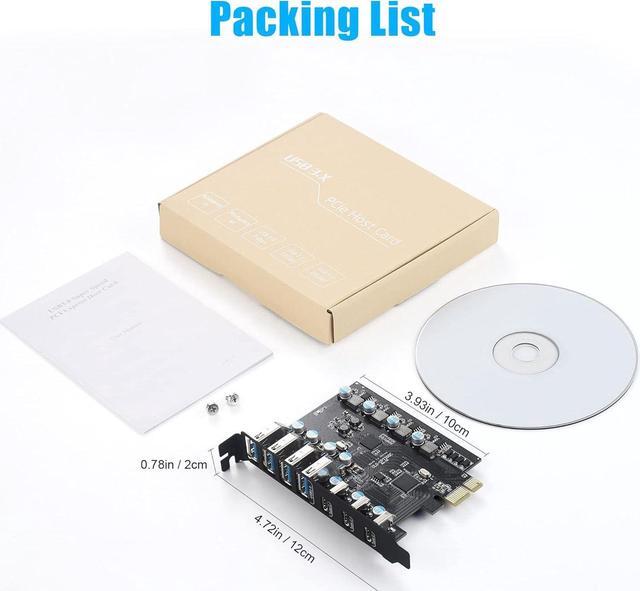
  • Multi-port Expansion card:  The expansion card provides 7 external USB 3.0 Ports (4 USB Type-A and 3 USB Type-C Ports) for your computer. You can connect a keyboard, mouse, external hard drives, CD/DVD drives, webcams, USB printers, scanners, game controllers, USB VR, digital cameras, etc
  • High-Speed Transmission Rate: The added-on USB 3.0 ports can provide superspeed 5Gbps max(totally) for audios, photos, and more files data transfer. Each port supports transmitting data at a rate up to 5Gbps when used solely. Note:The actual transmission speed is limited by the setting of the device connected 
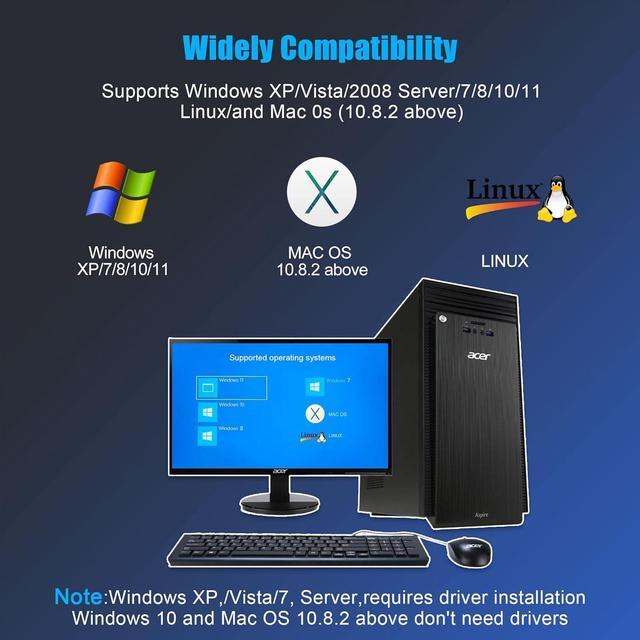
  • Widely Compatibility:  The card is compatible with Windows 7/8/10/11 (32/64 bit) and Mac OS 10.8.2 and above. The card only requires installing a driver which you can download from our CD driver, when operating on Windows 7. Note: Windows XP,/Vista/7, Server,requires driver installation, Windows 10/11 and Mac OS and Linux don't need drivers
  • Stable to Use:  The PCIe card is simple to install and draws power directly from the PCIe interface.The USB Type-A ports offer power up to 5W and the USB Type-C ports up to 15W. All ports feature short-circuit protection. Quick and easy installation, a simple solution for connecting to and using USB 3.0 devices on your standard desktop
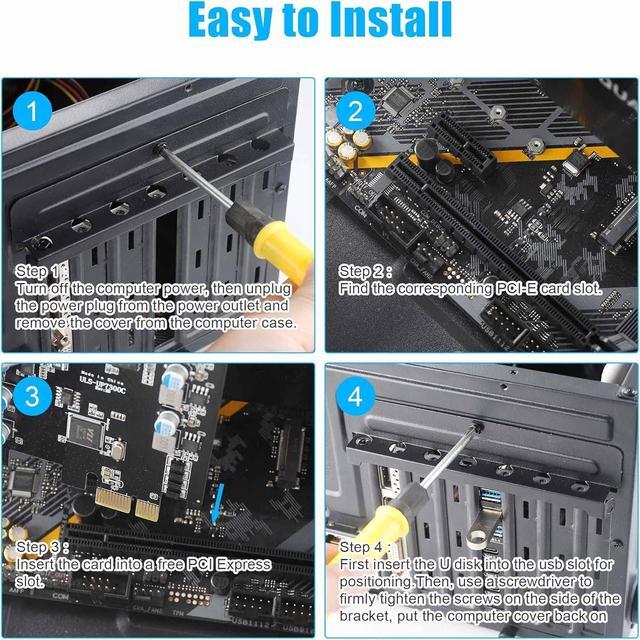
  • Easy to install:  1.Turn off the computer power, then remove the cover from the computer case. 2.Find the corresponding PCI-E card slot. 3.Insert the card into a empty PCI Express slot. 4.Lock the screw
7 Ports PCI-E to USB 3.0 Expansion Card
PCIe USB Card: Upgrade your computer to 7 USB ports (3 x USB C, 4 x USB A) in one step. Solve the shortage of host USB ports and connect various USB devices like keyboard, mouse, printer, smartphone, game controller, etc
Super Speed USB Ports: This card offers a transmission speed of up to 5 Gbps bandwidth, ten as fast as USB 2.0. It enables quick transfer of high-definition photos, videos, and files in seconds.
Note: Doesn't support Thunderbolt protocol or monitor
Extensive Compatibility: USB ports support USB 3.0, 2.0 devices. USB PCIe card Supports PCIe 3.0 / 2.0 motherboards,, Fits PCI Express x1, x4, x8 or x16 socket.
OS compatible: Windows 7/8/10, Mac OS 4.1 / 5.1 / 7.1 / 8.1. If issues, let me know
Easy Installation: The PCIE card gets power from the PCI Express slot, no external supply needed. Installation is effortless. Each port has a safety element for overcurrent and static protection, ensuring reliable usage

Warranty & Returns

Warranty, Returns, And Additional Information

Warranty

  • Please contact the Seller directly for warranty information. Warranty information may also be found on the Manufacturer's website.
  • CONTACT

Return Policies

Manufacturer Contact Info

LOADING...