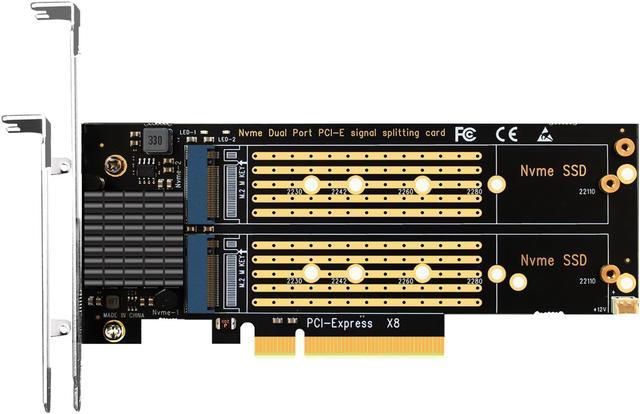
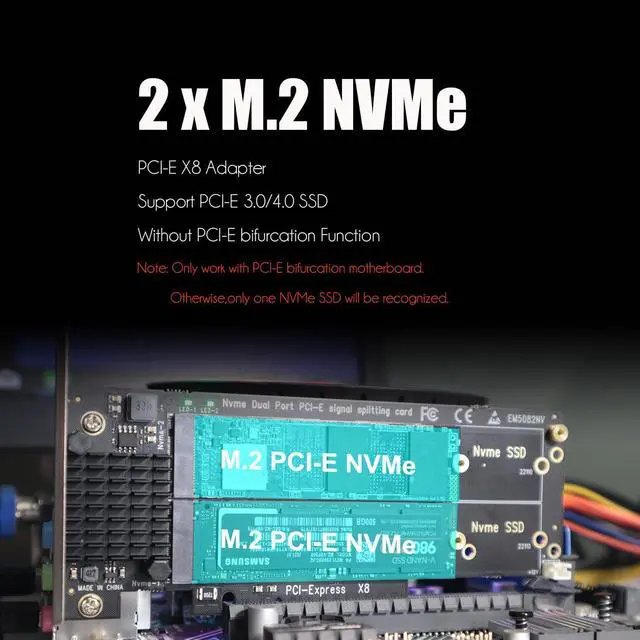
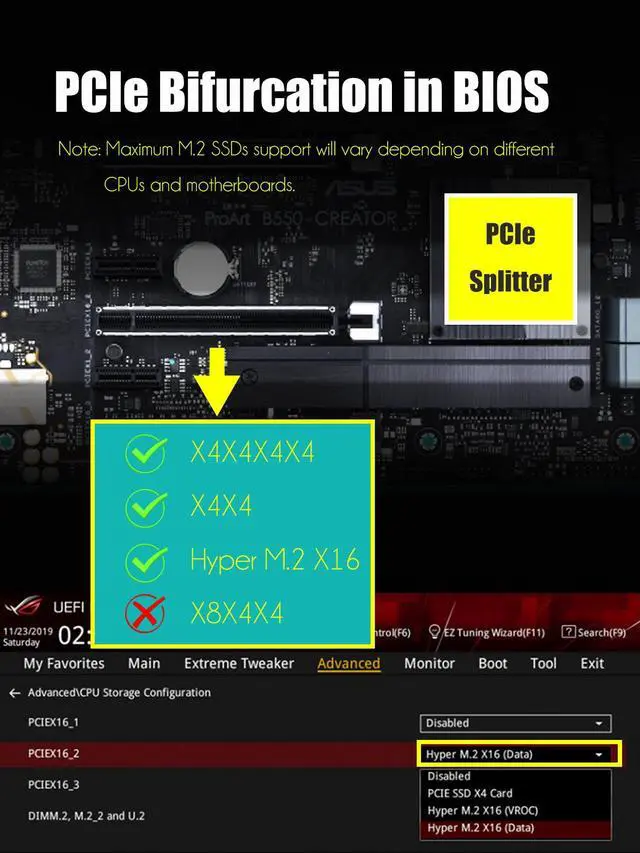
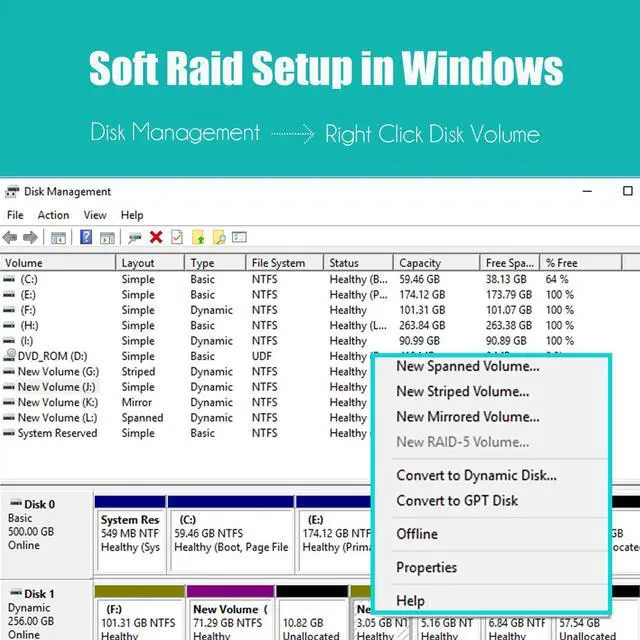
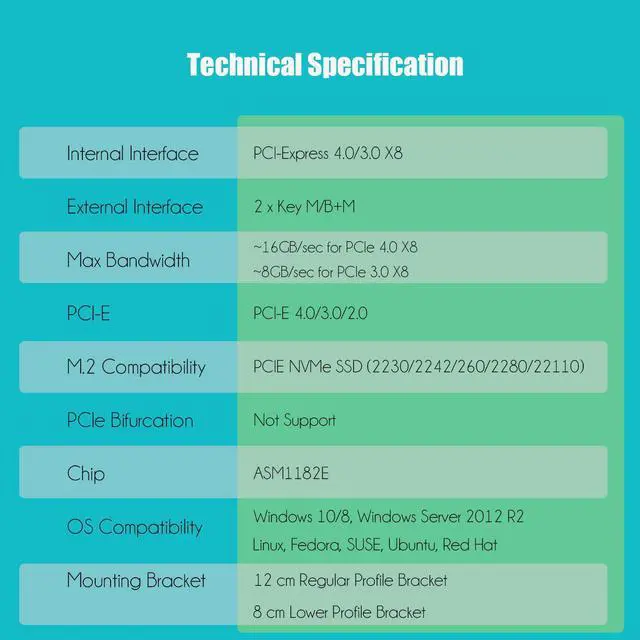
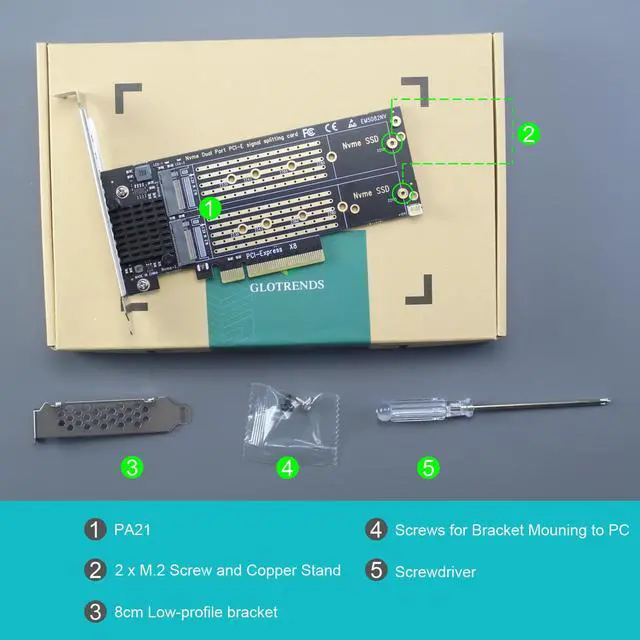
1)Dual M. 2 PCIe 4.0 / 3.0 SSDAdapter: add 2 x M. 2 PCIe 4.0 / 3.0 SSD (NVMe/AHCI Key M) onto a single PCIe X8 add-on card, you can use 2 separate M. 2 PCIe SSD at the same time. Support Intel VROC and AMD Ryzen Threadripper NVMe RAID under PCIe Bifurcation Enabled Motherboard. 2)ASM1182e solution allow 2 x M. 2 PCIe 4.0 / 3.0 SSD obtain PCIE X8 bandwidth (8GB/s with PCIe 3.0 or 16GB/s with PCIe 4.0 ), but only under PCIe Bifurcation enabled motherboard. Note: To reach PCIe 4.0 speed, make sure your CPU and motherboard and PCIe SSD are all PCIe 4.0 enabled. Otherwise, it would not be PCIe 4.0 speed. 3)Compatible with PCIe 4.0 / 3.0 / 2.0 motherboards, and install on PCIe X8/X16 slot. Low-profile bracket and regular-profile bracket are included, so work with 2U high workstations or servers with Windows, Linux, and mac OS. No driver installation is required. 4)ChipsetsupportPCIeBifurcation: Intel Platform X299, C422, C621, Z390, Z370, Z490, Z590, Z690, X99; AMDPlatform: TRX40, X399, X570, X470, B550, B450, Z590, etc. 5)To splitter PCIe in BIOS, setup X4X4 mode for X8 bandwidth allocation lane, or setup X4X4X4X4 or X4X4X8 mode for X16 bandwidth allocation lane. Note: X8X4X4 mode will not work. 6)Applicable with 2230/2242/2260/2280/22110 size M. 2 PCIe SSD (Key-M), such us Samsung: 980/ 970 PRO/ 970 EVO Plus/ 970 EVO; Intel Optane SSD P1600X Series, Intel SSD 6 Series; WesternDigital: WD_BLACK SN750 SE, WD Blue SN550, WD Green SN350, etc. Note: not support M. 2 SATA SSD (Key-B). 7)Note: Your motherboard BIOS must support M. 2 NVMe SSD, and support booting from PCIe in order to boot from M. 2 NVMe SSD on this M. 2 PCIe adapter.
Learn more about the GLOTRENDS PA21
Model
Brand
GLOTRENDS
Series
M.2 RAID Adapter
Model
PA21
Form Factor
2230/2242/2260/2280/22110
Details
Type
PCI-Express
External Connectors
M Key
Internal Connectors
PCI-E X8
Interface
PCI-Express 4.0 x8
RAID
RAID 0/1 JBOD
Additional Information
First Listed on Newegg
January 02, 2022
Customer Reviews of the GLOTRENDS PA21
There are no reviews yet.
Do you own this product?
Warranty & Returns
Warranty, Returns, And Additional Information
Warranty
Please contact the Seller directly for warranty information. Warranty information may also be found on the Manufacturer's website.