
Your Browsing History
Lowest price in 30 days


LOWEST PRICE
In Server Components
Shop Department
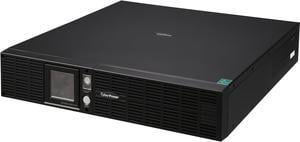
CyberPower OR2200LCDRTXL2U Smart App LCD UPS Systems - 2100VA/1650W, 120 VAC, NEMA 5-20P, 2U, Rack / Tower, 8 Outlets, LCD, PowerPanel
- Outlets: 8
- Battery Run Time: Runtime at Half Load: 15 min. Runtime at Full Load: 6 min.
- Output Frequency: 60Hz +/- 1%
- Battery Recharge Time: 8 Hour(s)
- Model #: OR2200LCDRTXL2U
- Item #: N82E16842102121
- Return Policy: Manufacturer Only Return Policy
$1,191.99
$1,289.99
$9.99 Shipping
Lots of POWER! Lots of BACKUP JUICE! Reinforces/surpasses expectations, maintained confidence in reliability and build-quality of CyberPower products. Finally, can toss miniature nuclear power source and depleted uranium rods in garbage or over fence into neighbor's back yard.
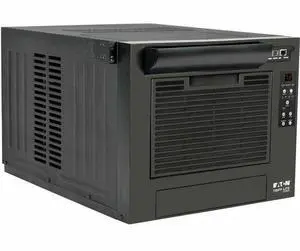
Tripp Lite SRCOOL7KRME series AC Unit for Server Racks - 9,000 BTU (2.7 kW), 120V, R32 Refrigerant, 8U Rack, Black
- Brand: Tripp Lite
- Series: Tripp Lite
- Model: SRCOOL7KRME
- Type: Rack-mount Air Conditioners
- Model #: SRCOOL7KRME
- Item #: 9SIA5SCKW27731
- Return Policy: View Return Policy
$1,604.56
$1,726.78
Free Shipping
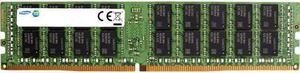
SAMSUNG 32GB 288-Pin DDR4 SDRAM Registered DDR4 2400 (PC4 19200) Memory (Server Memory) Model M393A4K40CB1-CRC
- Voltage: 1.20V
- Type: 288-Pin DDR4 SDRAM
- Rank: 2Rx4
- Model #: M393A4K40CB1-CRC
- Item #: 9SIADSB9E93857
- Return Policy: View Return Policy
$340.91
$487.06
$9.99 Shipping
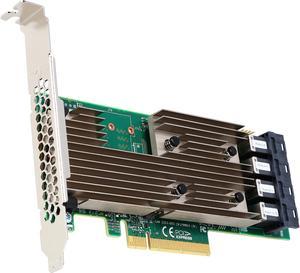
LSI 9305-16i PCI-Express 3.0 x8 SAS Host Bus Adapter
- Internal Connectors: 4 x SFF-8643 mini-SAS HD
- Transfer Rate: Up to 12Gb/s
- Part: 05-25703-00
- Operating Systems Supported: Microsoft Windows, Linux (Oracle, SuSE , Red Hat), Solaris, VMware, FreeBSD, CentOS, Canonical, Citrix
- Model #: 05-25703-00
- Item #: 9SIC2ZRKVY3303
- Return Policy: View Return Policy
$245.99
Free Shipping
very reliable.
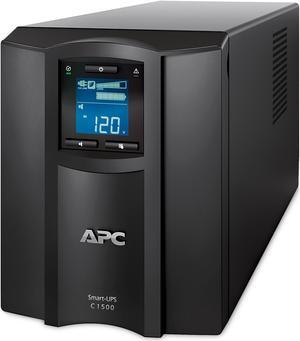
APC SMC1500C Smart-UPS C, Line Interactive, 1440VA, Tower, 120V, 8x NEMA 5-15R outlets, SmartConnect port, USB and Serial communication, AVR, Graphic LCD
- Outlets: 8
- Battery Run Time: Full load: 7.8 Minutes Half load: 20.4 Minutes
- Output Frequency: 50/60 Hz +/- 3 Hz Sync to mains
- Battery Recharge Time: 3 hour(s)
- Model #: SMC1500C
- Item #: 9SIAH2MKP39726
- Return Policy: View Return Policy
$754.26
Free Shipping
Has built in ethernet to provide status and alerts through APC's cloud. Easy to read and use LCD display Great Mobile interface for use on table or smart phone
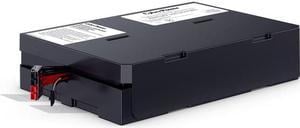
CyberPower RB1290X4J Replacement Battery Cartridge - 4 X 12 V / 9 Ah Sealed Lead-Acid Battery
- Model #: RB1290X4J
- Item #: 9SIAH2MKVY4770
- Return Policy: View Return Policy
$372.72
Free Shipping
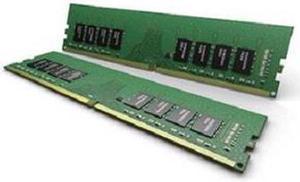
Samsung M378A1K43CB2-CTD
- Type: 288-Pin DDR4 SDRAM
- Rank: 1Rx8
- Model #: M378A1K43CB2-CTD
- Item #: 9SIADSB9E93649
- Return Policy: View Return Policy
$104.68
$110.68
$9.99 Shipping
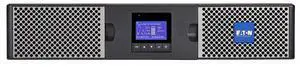
Eaton 9PX1500RT-L 9PX 1500VA 1350W 120V Online Double-Conversion UPS - 5-15P, 8x 5-15R Outlets, Lithium-ion Battery, Cybersecure Network Card Option, 2U Rack/Tower
- Brand: EATON
- Model #: 9PX1500RT-L
- Item #: 9SIAMW5K2A6625
- Return Policy: View Return Policy
$4,236.55

CyberPower OL2K2RM UPS - Rack-Mountable - Online, Double Conversion - 100/110/115/120/125 VAC +/- 2% (configurable) - 1600Watt - 2200VA - 6 NEMA 5-20R, 1 x NEMA L5-20R, NEMA 5-20P
- Outlets: 7
- Battery Run Time: 2.6 min Full Load / 9 min Half Load
- Battery Recharge Time: 4 Hours (0% to 90% charged)
- Brand: CyberPower
- Model #: OL2K2RM
- Item #: N82E16842102512
- Return Policy: Manufacturer Only Return Policy
$2,046.99
Free Shipping

Eaton EMAT08-10, 1U Horizontal 8 Outlets Managed ePDU
- Series: Managed
- Input Voltage: 120 V AC
- Features: Output Receptacles:8 x NEMA 5-15R Product Name:ePDU Managed 8-Outlet PDU Form Factor:Horizontal Rackmount Input Receptacles:1 x NEMA 5-15P Power Rating:1.44 kVA Power Rating:1.44 kVA Form Factor:Horizontal Rackmount Product Type:PDU
- Weight: 10
- Model #: EMAT08-10
- Item #: 9SIA5SCKW29641
- Return Policy: View Return Policy
$1,089.89
Free Shipping
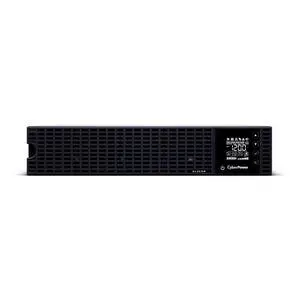
CyberPower OL3KRM UPS - Rack-Mountable - Online, Double Conversion - 100, 110, 115, 120, 125 V - 2400Watt - 3000VA - 6 - NEMA 5-20R; 1 - NEMA L5-30R
- Outlets: 7
- Battery Run Time: 2.2 min Full Load / 7.5 min Half Load
- Battery Recharge Time: 4 Hours (0% to 90% charged)
- Brand: CyberPower
- Model #: OL3KRM
- Item #: N82E16842102513
- Return Policy: Manufacturer Only Return Policy
$2,655.99
Free Shipping
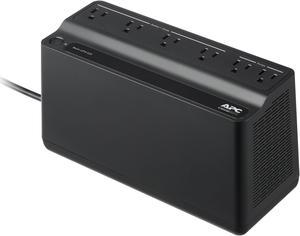
APC BE425M Battery Back-UPS 6 Outlets, 425VA, 120V - Tower - 8 Hour Recharge - 3 Minute Stand-by - 120 V AC Input - 120 V AC Output - 6 x NEMA 5-15R - Power Protection
- Outlets: 6
- Battery Run Time: Full Load (255W): Around 2 minutes Half Load (127.5W): Around 10 minutes
- Output Frequency: 50/60 Hz +/- 3 Hz Sync to mains
- Battery Recharge Time: 8 Hour(s)
- Model #: BE425M
- Item #: N82E16842301670
- Return Policy: Manufacturer Only Return Policy
$99.99
$101.99
Free Shipping
I have several APC Back-Ups and have never had a problem.
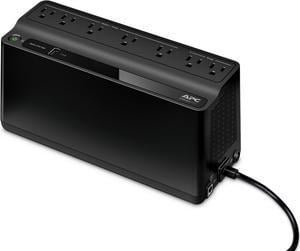
APC BE600M1 Back-UPS 600VA, 120V, 1 USB charging port, 7 NEMA outlets (2 surge) - Tower - 10 Hour Recharge - 3.20 Minute Stand-by - 120 V Input - 120 V AC Output
- Outlets: 7
- Battery Run Time: Run Time at Half load: 11.75 minutes Run Time at Full load: 3.2 minutes
- Output Frequency: 50/60Hz +/- 3 Hz
- Battery Recharge Time: 10 Hours
- Model #: BE600M1
- Item #: N82E16842301669
- Return Policy: Manufacturer Only Return Policy
$125.99
$129.99
Free Shipping
+ • 5 Battery backup outlets • All outlets protected with surge suppression. • USB charging port (1.5A) • PC power monitoring software (PowerChute) • LED power mode indicator (AC, battery backup) • Muted aesthetics, not an eye catcher. • 45º angled power plug is great for crowded outlets or power strips. • Seamless backup power in the event of power loss. I set this battery backup for use with my PC and monitor, and has been a great addition to my set up. The PowerChute software provides almost real-time power consumption and estimated battery run time on power failure. The PowerChute software can be configured to shut down your PC for you in the event of power loss, at a set interval of time. For my hardware scenario I set the software to 5 minutes on battery before shutting down my PC, given my current PC hardware configuration. Current specs: i7 5820k x99 motherboard GTX 1060 6GB OC 16GB DDR4 1.35v (2x 8GB) 2 SSD’s, and one 3TB WD black HD. 1x BD/DVD optical. 4 140mm fans, 2 120mm fans 630W 80+ gold rated PSU This battery backup is sufficient for my use, as even under load (gaming) the software reports that I should have more than 6 minutes of battery run time. At idle the PowerChute software reports that I should have 18+ minutes on battery, which is plenty of time to save work and shut down should I choose to extend the battery run time before auto shutdown. Some other nice features of the PowerChute software is that it can report daily cost of operating attached equipment, total energy usage per month in kWh and interestingly estimated carbon dioxide emissions per day. Perform firmware updates, run self diagnostics, set hours at which alarms are active (if you dont want to be alerted to an alarm at 3 a.m.) What I’ve checked most often is the current energy consumption and load on battery backup. I was surprised to see that my system uses much less energy than I thought, with an average of 115 Watts at idle, and 265 +/- Watts under load, this is including my 144Hz monitor drawing 23 Watts. I really like the addition of a USB charging port, which also provides power on battery. This is a great way to charge your phone in a power outage, a 1.5 amp capacity should be enough for most phones and most tablets.