
Your Browsing History
Lowest price in 30 days


LOWEST PRICE
In AMD Motherboards
Shop Department
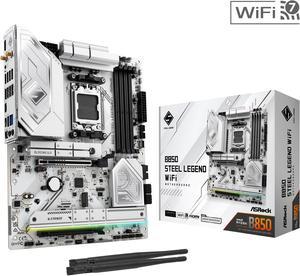
ASRock B850 STEEL LEGEND WIFI AM5 ATX Motherboard
- Brand: ASRock
- CPU Socket Type: AM5
- Chipset: AMD B850
- Serial ATA (SATA): 4 x SATA 6Gb/s
- Model #: B850 Steel Legend WiFi
- Item #: N82E16813162187
- Return Policy: Standard Return Policy
$189.99
$299.99
Free Shipping
-Great price -PCIe 5.0 -11 USB ports (including two directly connected to CPU) -Only lane sharing is between PCIe slot 2 and M.2 slot 4
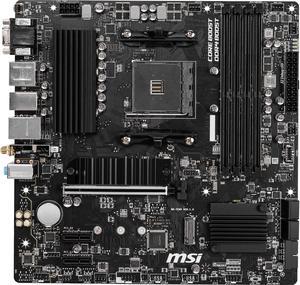
MSI PRO B550M PRO-VDH WIFI AM4 Micro ATX AMD Motherboard
- Brand: MSI
- CPU Socket Type: AM4
- Chipset: AMD B550
- Serial ATA (SATA): 4 x SATA 6Gb/s
- Model #: B550M PRO-VDH WIFI
- Item #: N82E16813144331
- Return Policy: Standard Return Policy
$119.99
$129.99
Free Shipping
-Budget Friendly -Has enough features for most basic builds -Worked with Ryzen 5600x out of the box
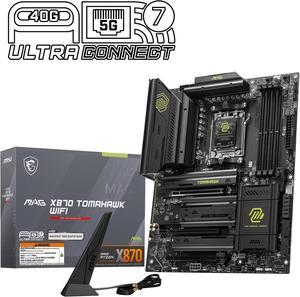
MSI MAG X870 TOMAHAWK WIFI AM5 ATX Gaming Motherboard, 4x SATA 6Gb/s, AMD Wi-Fi 7,USB 4.0
- Brand: MSI
- CPU Socket Type: AM5
- Chipset: AMD X870
- Serial ATA (SATA): 4 x SATA 6Gb/s
- Model #: MAG X870 TOMAHAWK WIFI
- Item #: N82E16813144667
- Return Policy: Standard Return Policy
$294.99
$364.99
Free Shipping
MSI X870 Tomahawk has No GPU Lane sharing with gen 5 m.2 slots. I choose the Tomahawk because I want gen 5 m.2 for Windows and one for games for fast loading times. It has plenty of usb ports and a 5gb nic. I like the MSI software that helps keep the board updated without having to search myself.
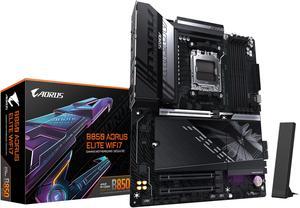
GIGABYTE B850 AORUS ELITE WIFI7 AMD AM5 LGA 1718 Motherboard, ATX, DDR5, 3x M.2, PCIe 5.0, USB-C, WIFI7, 2.5GbE LAN, EZ-Latch 5-Year Warranty
- Brand: GIGABYTE
- CPU Socket Type: AM5
- Chipset: AMD B850
- Form Factor: ATX
- Model #: B850 AORUS ELITE WF7
- Item #: N82E16813145545
- Return Policy: Standard Return Policy
$249.00
$339.00
Free Shipping
No thrill, no frill. Nice motherboard with all necessities to build a good system. Combo with 9070xt and pairing it with a 9800X3D chip for my wifes pc. The wife love it, so I love it.
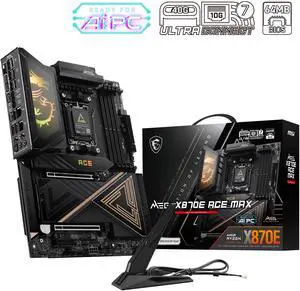
MSI MEG X870E ACE MAX AM5 AMD X870E Motherboard
- Model #: MEG X870E ACE MAX
- Item #: N82E16813144735
- Return Policy: Standard Return Policy
$849.99
$909.99
$29.99 Shipping
Ultra Power Phase with 2 M.2 and 2 LAN. MSi has this OC Engine that boot up the gaming performance up to 20%. come with the ONE click OC jumper make is more smoothly. Love the board! waiting for the 9850X3D launch !
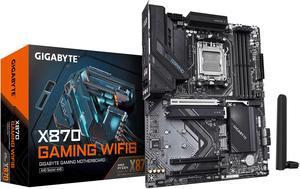
GIGABYTE X870 GAMING WIFI6 AM5 LGA 1718, ATX, DDR5, 3x M.2, PCIe 5.0, USB4, WIFI 6, 2.5GbE LAN, EZ-Latch, 5-Year Warranty
- Brand: GIGABYTE
- CPU Socket Type: AM5
- Chipset: AMD X870
- Serial ATA (SATA): 4 x SATA 6Gb/s
- Model #: X870 GAMING WIFI6
- Item #: N82E16813145522
- Return Policy: Standard Return Policy
$209.99
$289.99
Free Shipping
Working fine, does what you want!
GIGABYTE B550M GAMING X WIFI6 AM4 Micro ATX Motherboard
- Brand: GIGABYTE
- CPU Socket Type: AM4
- Chipset: AMD B550
- Serial ATA (SATA): 4 x SATA 6Gb/s
- Model #: B550M GAMING X WIFI6
- Item #: N82E16813145586
- Return Policy: Standard Return Policy
$109.99
$129.99
Free Shipping
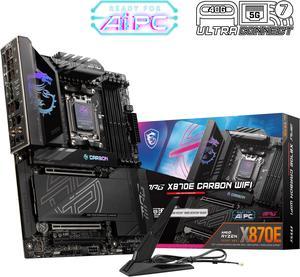
MSI MPG X870E CARBON AM5 ATX Gaming Motherboard, 4x SATA 6Gb/s, AMD Wi-Fi 7,USB 4.0
- Brand: MSI
- CPU Socket Type: AM5
- Chipset: AMD X870E
- Serial ATA (SATA): 4 x SATA 6Gb/s
- Model #: MPG X870E CARBON WIFI
- Item #: N82E16813144666
- Return Policy: Standard Return Policy
$519.99
$559.99
Free Shipping
BIOS updates, Easy Install
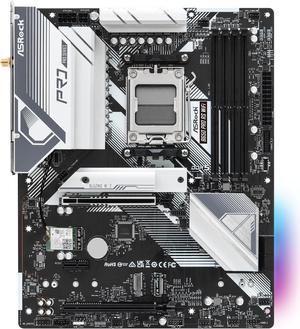
ASRock B650 Pro RS WiFi AM5 ATX Motherboard
- Brand: ASRock
- CPU Socket Type: AM5
- Chipset: AMD B650
- Serial ATA (SATA): 4 x SATA 6Gb/s
- Model #: B650 Pro RS WiFi
- Item #: N82E16813162185
- Return Policy: Standard Return Policy
$169.99
$219.99
$8.99 Shipping
It was very easy to setup, the BIOS comes with an easy mode to toggle, has a nice color and sleek design to it.
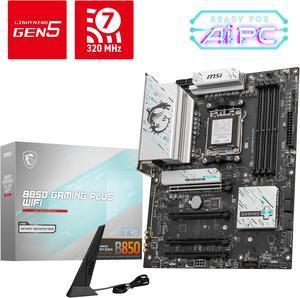
MSI B850 GAMING PLUS WIFI AM5 AMD B850 SATA 6Gb/s 5G Network DDR5 Wi-Fi 7 ATX Motherboard
- Brand: MSI
- CPU Socket Type: AM5
- Chipset: AMD B850
- Serial ATA (SATA): 4 x SATA 6Gb/s
- Model #: B850 GAMING PLUS WIFI
- Item #: N82E16813144688
- Return Policy: Standard Return Policy
$234.99
$294.99
Free Shipping
I love the ease with which the NVME drives are able to be installed. Cable management was a breeze thanks to the placement of the headers. Bios were easily accessible and customizable.
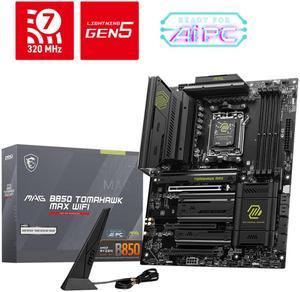
MSI MAG B850 TOMAHAWK MAX WIFI AM5 AMD B850 SATA 6Gb/s 5G Network Wi-Fi7 DDR5 Motherboard
- Brand: MSI
- CPU Socket Type: AM5
- Chipset: AMD B850
- Serial ATA (SATA): 4 x SATA 6Gb/s
- Model #: MAG B850 TOMAHAWK MAX WIFI
- Item #: N82E16813144697
- Return Policy: Standard Return Policy
$279.99
$319.99
Free Shipping
This was a major headache because I was trying to use the OnBoard graphics with a integrated AMD processor and I couldn't get video no matter what I tried so i took an old GPU from an old PC and didn't realize the old GPU's force the Bios into CSM mode vs UEFI but on top of that I think I had a HDMI cable that worked find on my BluRay player but not on the Onboard HDMI for this board. So I ended up spending $500 on a new GPU i was trying to avoid spending money on. That's what I get for trying to go cheap i guess.
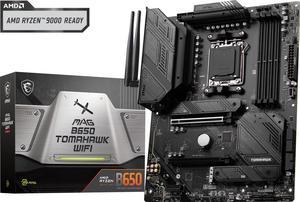
MSI MAG B650 TOMAHAWK WIFI AM5 AMD B650 SATA 6Gb/s DDR5 Ryzen 7000 ATX Motherboard
- Brand: MSI
- CPU Socket Type: AM5
- Chipset: AMD B650
- Serial ATA (SATA): 6x SATA 6Gb/s ports (From B650 chipset) - SATA_1_2/ SATA_3_4 (From B650 chipset) - SATA_A1_A2 (From ASM1061)
- Model #: MAG B650 TOMAHAWK WIFI
- Item #: N82E16813144557
- Return Policy: Standard Return Policy
$209.99
$294.99
Free Shipping
I'm building my first PC in 20 years (for my 13yo son, who is getting into PC gaming) and yeah... Things have REALLY changed in the last 20 years. But this MSI motherboard made it an absolute breeze. Everything is clearly labeled and well placed, getting everything plugged in and connected was super straightforward. Build quality really feels outstanding. Plenty of connectors for all your fan/RGB needs, and while this isn't super important, it really looks great too!
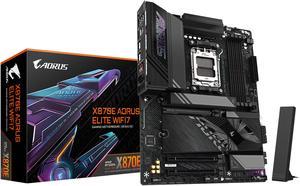
GIGABYTE X870E AORUS ELITE WIFI7 AM5 LGA 1718, ATX, DDR5, 4x M.2, PCIe 5.0, USB4, Wi-Fi 7, 2.5GbE LAN, EZ-Latch, 5-Year Warranty
- Brand: GIGABYTE
- CPU Socket Type: AM5
- Chipset: AMD X870E
- Serial ATA (SATA): 4 x SATA 6Gb/s
- Model #: X870E AORUS ELITE WIFI7
- Item #: N82E16813145517
- Return Policy: Standard Return Policy
$369.99
$439.99
$19.99 Shipping
I recently wanted to replace my B650E and decided to go x870E, It is an access motherboard the Bios is simple and has straight forward information on what each segment does currently running with a 7800x3d and 5600mhz of Ram impressed with the stability.
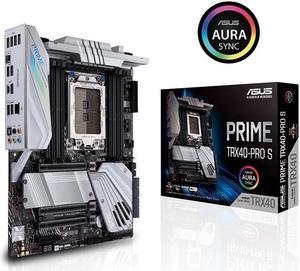
ASUS PRIME TRX40-PRO S sTRX4 AMD TRX40 SATA 6Gb/s ATX AMD Motherboard
- Brand: ASUS
- CPU Socket Type: sTRX4
- Chipset: AMD TRX40
- Serial ATA (SATA): 8 x SATA 6Gb/s
- Model #: PRIME-TRX40-PRO-S
- Item #: 9SIC4RVKRU8764
- Return Policy: View Return Policy
$532.65
$582.65
$29.99 Shipping
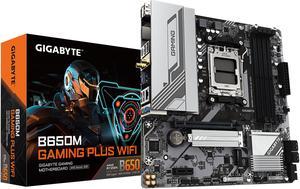
GIGABYTE B650M GAMING PLUS WIFI AM5 LGA 1718 AMD B650 M-ATX, DDR5, PCIe 4.0 M.2, PCIe 4.0, USB 3.2 Gen 1 Type-C, Wi-Fi 6E, 2.5GbE LAN
- Brand: GIGABYTE
- CPU Socket Type: AM5
- Chipset: AMD B650
- Serial ATA (SATA): 4 x SATA 6Gb/s
- Model #: B650M GAMING PLUS WIFI
- Item #: N82E16813145502
- Return Policy: Standard Return Policy
$159.99
$239.99
Free Shipping
- Holds parts in its slots
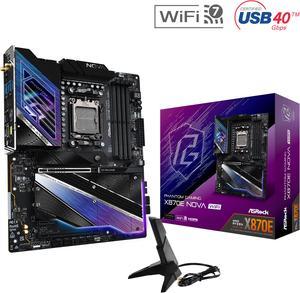
ASRock X870E NOVA WIFI AM5 ATX Motherboard
- Brand: ASRock
- CPU Socket Type: AM5
- Chipset: AMD X870E
- Serial ATA (SATA): 4 x SATA 6Gb/s
- Model #: X870E Nova WiFi
- Item #: N82E16813162163
- Return Policy: Standard Return Policy
$364.00
$499.00
Free Shipping
- No lane sharing with the primary GPU slot Lots of VRM - 8 Layer PCB - 5 M.2 expansion slots - Includes backplate - PCIe EZ Release - 5Gbps LAN - Bios Flashback Button -Extra USB 4s - Future proofed PCIE 5.0 slot - Wifi 7
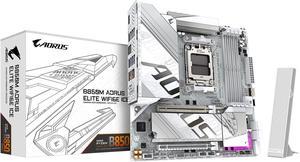
GIGABYTE B850M AORUS ELITE WIFI6E ICE AMD AM5 LGA 1718 Motherboard, mATX, DDR5, 2x M.2, PCIe 5.0, USB-C, WIFI6E, 2.5GbE LAN, EZ-Latch, 5-Year Warranty
- Brand: GIGABYTE
- CPU Socket Type: AM5
- Chipset: AMD B850
- Form Factor: Micro ATX
- Model #: B850M A ELT WF6E ICE
- Item #: N82E16813145549
- Return Policy: Standard Return Policy
$229.99
$299.99
$7.99 Shipping
The list of the pros is way too long!!!!
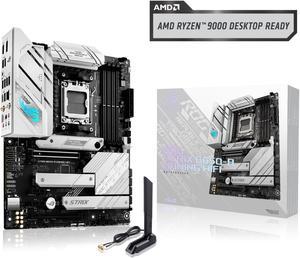
ASUS ROG Strix B650-A Gaming WiFi AMD B650 AM5 Ryzen™ Desktop 9000 8000 & 7000 ATX motherboard, 12 + 2 power stages, DDR5, 3x M.2 slot, PCIe® 4.0, 2.5G LAN, WiFi 6E, USB 3.2 Gen 2x2 Type-C®, Aura Sync
- Brand: ASUS
- CPU Socket Type: AM5
- Chipset: AMD B650
- Serial ATA (SATA): 4 x SATA 6Gb/s
- Model #: ROG STRIX B650-A GAMING WIFI
- Item #: N82E16813119606
- Return Policy: Standard Return Policy
$289.99
$309.99
Free Shipping
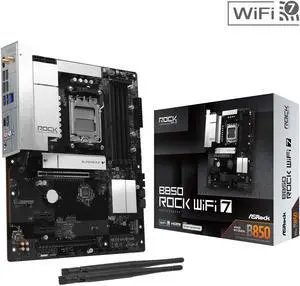
AMD B850 Rock WiFi 7 AM5 ATX Motherboards
- Brand: AMD
- CPU Socket Type: AM5
- Chipset: AMD B850
- Serial ATA (SATA): 4 x SATA 6Gb/s
- Model #: B850 Rock WiFi 7
- Item #: N82E16813162239
- Return Policy: Standard Return Policy
$149.99
$159.99
$19.99 Shipping
For the price, I got most of the features I was looking for. Plenty of usb ports which is helpful for me without needing to use an adapter. Placed in the 9800x3d without needing to flash bios because it natively supports 9000 series. Gen 5 front M2 and PCIE slots allows room for upgradability to Gen 5 SSDs and RTX 5000 series.
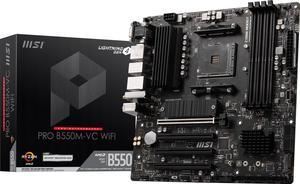
MSI PRO PRO B550M-VC WIFI AM4 MATX AMD Motherboard
- Brand: MSI
- CPU Socket Type: AM4
- Chipset: AMD B550
- Serial ATA (SATA): 4x SATA 6Gb/s ports
- Model #: PRO B550M-VC WIFI
- Item #: N82E16813144548
- Return Policy: Standard Return Policy
$139.99
$169.99
Free Shipping
- Plenty of rear I/O for a mATX board - Love having both the internal 20 pin USB3 connector and the type C front panel connector on this mobo, which means all my front I/O will be usable on my A3-mATX - Ryzen 7 5700G worked out of the box - having three display outputs is clutch (currently using DP and HDMI only) - being a PRO series board, has an amazing mostly black PCB design - MediaTek RZ616 Wi-Fi 6E + BT combo work surprisingly well. I get the full speed of 6E thanks to my Xfinity gateway. Bluetooth connections are strong and stable with no drops - MSI's BIOS is amazing, both the EZ mode and advanced mode are easy to use. Was able to enable XMP easily for my 3600 MHz, C18 RAM kit. I opted for a 2x16GB kit which worked out of the box. I want to experiment with overclocking the RAM and iGPU a bit.