
Your Browsing History
Lowest price in 30 days


LOWEST PRICE
In AMD Motherboards
Shop Department
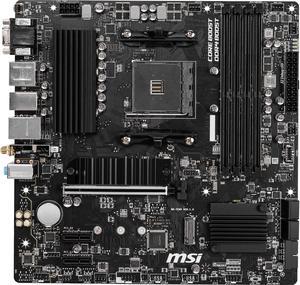
MSI PRO B550M PRO-VDH WIFI AM4 Micro ATX AMD Motherboard
- Brand: MSI
- CPU Socket Type: AM4
- Chipset: AMD B550
- Serial ATA (SATA): 4 x SATA 6Gb/s
- Model #: B550M PRO-VDH WIFI
- Item #: N82E16813144331
- Return Policy: Standard Return Policy
$119.99
$129.99
Free Shipping
B550 chipset Works with 3400G integrated graphics Has onboard wifi Price Personally I like MSI Bios
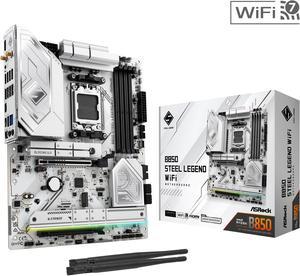
ASRock B850 STEEL LEGEND WIFI AM5 ATX Motherboard
- Brand: ASRock
- CPU Socket Type: AM5
- Chipset: AMD B850
- Serial ATA (SATA): 4 x SATA 6Gb/s
- Model #: B850 Steel Legend WiFi
- Item #: N82E16813162187
- Return Policy: Standard Return Policy
$189.99
$299.99
Free Shipping
-Solid build -Wifi 7 -Bios flash -East to setup -No issues so far
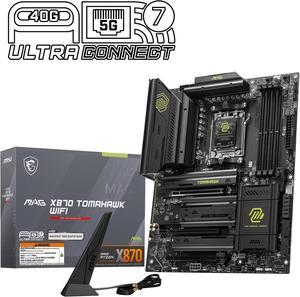
MSI MAG X870 TOMAHAWK WIFI AM5 ATX Gaming Motherboard, 4x SATA 6Gb/s, AMD Wi-Fi 7,USB 4.0
- Brand: MSI
- CPU Socket Type: AM5
- Chipset: AMD X870
- Serial ATA (SATA): 4 x SATA 6Gb/s
- Model #: MAG X870 TOMAHAWK WIFI
- Item #: N82E16813144667
- Return Policy: Standard Return Policy
$294.99
$364.99
Free Shipping
BIOS is intuitive excellent build quality tons of USB and M.2 slots worked without issuers with 9800x3d
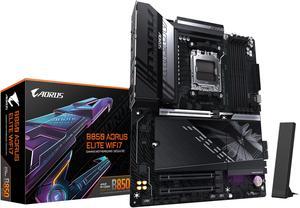
GIGABYTE B850 AORUS ELITE WIFI7 AMD AM5 LGA 1718 Motherboard, ATX, DDR5, 3x M.2, PCIe 5.0, USB-C, WIFI7, 2.5GbE LAN, EZ-Latch 5-Year Warranty
- Brand: GIGABYTE
- CPU Socket Type: AM5
- Chipset: AMD B850
- Form Factor: ATX
- Model #: B850 AORUS ELITE WF7
- Item #: N82E16813145545
- Return Policy: Standard Return Policy
$249.00
$339.00
Free Shipping
- 3 m.2 slots all with heat shield is exactly what I was looking for without dipping into far more expensive boards - Probably the best looking all black option out there (or at least mostly black) that doesn't cost tremendously more money - Mounting for m.2 and pcie is so so so much better than the budget boards I've always used - So nice not having to worry about weird lane sharing/reduced bandwidth/gen 3 m.2 slots. Everything works as it should without a thought
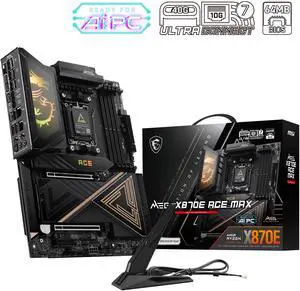
MSI MEG X870E ACE MAX AM5 AMD X870E Motherboard
- Model #: MEG X870E ACE MAX
- Item #: N82E16813144735
- Return Policy: Standard Return Policy
$849.99
$909.99
$29.99 Shipping
Ultra Power Phase with 2 M.2 and 2 LAN. MSi has this OC Engine that boot up the gaming performance up to 20%. come with the ONE click OC jumper make is more smoothly. Love the board! waiting for the 9850X3D launch !
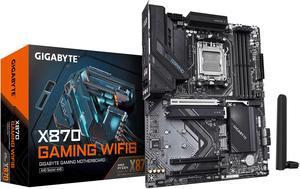
GIGABYTE X870 GAMING WIFI6 AM5 LGA 1718, ATX, DDR5, 3x M.2, PCIe 5.0, USB4, WIFI 6, 2.5GbE LAN, EZ-Latch, 5-Year Warranty
- Brand: GIGABYTE
- CPU Socket Type: AM5
- Chipset: AMD X870
- Serial ATA (SATA): 4 x SATA 6Gb/s
- Model #: X870 GAMING WIFI6
- Item #: N82E16813145522
- Return Policy: Standard Return Policy
$209.99
$289.99
Free Shipping
Basically plug n play with a Ryzen 7 9700x. Did not have to update any BIOS. Plugged everything in and turned it on. Using the EXPO profile for the RAM was super easy.
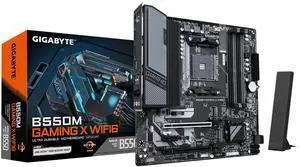
GIGABYTE B550M GAMING X WIFI6 AM4 Micro ATX Motherboard
- Brand: GIGABYTE
- CPU Socket Type: AM4
- Chipset: AMD B550
- Serial ATA (SATA): 4 x SATA 6Gb/s
- Model #: B550M GAMING X WIFI6
- Item #: N82E16813145586
- Return Policy: Standard Return Policy
$109.99
$129.99
Free Shipping
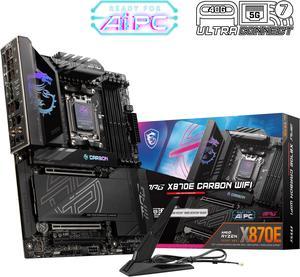
MSI MPG X870E CARBON AM5 ATX Gaming Motherboard, 4x SATA 6Gb/s, AMD Wi-Fi 7,USB 4.0
- Brand: MSI
- CPU Socket Type: AM5
- Chipset: AMD X870E
- Serial ATA (SATA): 4 x SATA 6Gb/s
- Model #: MPG X870E CARBON WIFI
- Item #: N82E16813144666
- Return Policy: Standard Return Policy
$519.99
$559.99
Free Shipping
Ryzen 9 9900X+CORSAIR Vengeance 32GB +XFX SWIFT AMD Radeon RX 9060 XT OC White The board has lightning USB 40G and wifi 7 which makes it future proof. Clear CMOS and Flash BIOS buttons are very convenient. Lots of storage options.
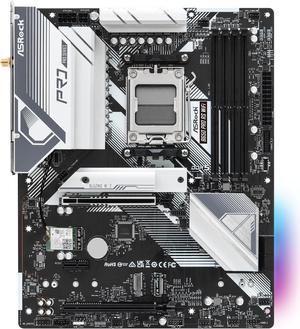
ASRock B650 Pro RS WiFi AM5 ATX Motherboard
- Brand: ASRock
- CPU Socket Type: AM5
- Chipset: AMD B650
- Serial ATA (SATA): 4 x SATA 6Gb/s
- Model #: B650 Pro RS WiFi
- Item #: N82E16813162185
- Return Policy: Standard Return Policy
$169.99
$219.99
$8.99 Shipping
- Came with latest bios at the time I received it (2.02) - Fast boot times - Bios is easy to navigate/understand
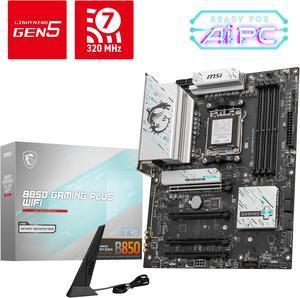
MSI B850 GAMING PLUS WIFI AM5 AMD B850 SATA 6Gb/s 5G Network DDR5 Wi-Fi 7 ATX Motherboard
- Brand: MSI
- CPU Socket Type: AM5
- Chipset: AMD B850
- Serial ATA (SATA): 4 x SATA 6Gb/s
- Model #: B850 GAMING PLUS WIFI
- Item #: N82E16813144688
- Return Policy: Standard Return Policy
$234.99
$294.99
Free Shipping
-Beautiful color -WIFI 7, Ethernet 5G -Audio S/PDIF connection (is a MUST if you want to connect to older AVR and older TV) -Tons of M.2 and PCIE connection
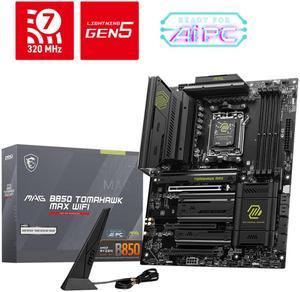
MSI MAG B850 TOMAHAWK MAX WIFI AM5 AMD B850 SATA 6Gb/s 5G Network Wi-Fi7 DDR5 Motherboard
- Brand: MSI
- CPU Socket Type: AM5
- Chipset: AMD B850
- Serial ATA (SATA): 4 x SATA 6Gb/s
- Model #: MAG B850 TOMAHAWK MAX WIFI
- Item #: N82E16813144697
- Return Policy: Standard Return Policy
$279.99
$319.99
Free Shipping
-Plenty of connectors - Well designed BIOS with easy customization options. Setting fan curves and RAM speeds is no problem. -Nice build quality with a sturdy PCB. -Easy to install SSDs -3 USB-C connectors is appreciated
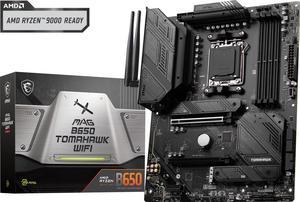
MSI MAG B650 TOMAHAWK WIFI AM5 AMD B650 SATA 6Gb/s DDR5 Ryzen 7000 ATX Motherboard
- Brand: MSI
- CPU Socket Type: AM5
- Chipset: AMD B650
- Serial ATA (SATA): 6x SATA 6Gb/s ports (From B650 chipset) - SATA_1_2/ SATA_3_4 (From B650 chipset) - SATA_A1_A2 (From ASM1061)
- Model #: MAG B650 TOMAHAWK WIFI
- Item #: N82E16813144557
- Return Policy: Standard Return Policy
$209.99
$294.99
Free Shipping
Easy bios flash. Clean look. Good heat sinks.
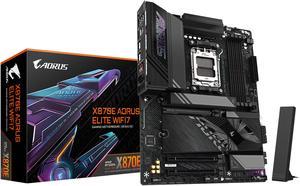
GIGABYTE X870E AORUS ELITE WIFI7 AM5 LGA 1718, ATX, DDR5, 4x M.2, PCIe 5.0, USB4, Wi-Fi 7, 2.5GbE LAN, EZ-Latch, 5-Year Warranty
- Brand: GIGABYTE
- CPU Socket Type: AM5
- Chipset: AMD X870E
- Serial ATA (SATA): 4 x SATA 6Gb/s
- Model #: X870E AORUS ELITE WIFI7
- Item #: N82E16813145517
- Return Policy: Standard Return Policy
$369.99
$439.99
$19.99 Shipping
user-friendly bios good features looks clean no issues
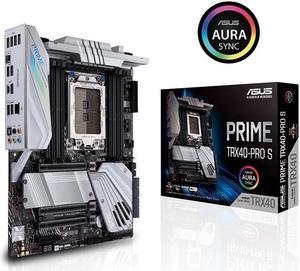
ASUS PRIME TRX40-PRO S sTRX4 AMD TRX40 SATA 6Gb/s ATX AMD Motherboard
- Brand: ASUS
- CPU Socket Type: sTRX4
- Chipset: AMD TRX40
- Serial ATA (SATA): 8 x SATA 6Gb/s
- Model #: PRIME-TRX40-PRO-S
- Item #: 9SIC4RVKRU8764
- Return Policy: View Return Policy
$532.65
$582.65
$29.99 Shipping
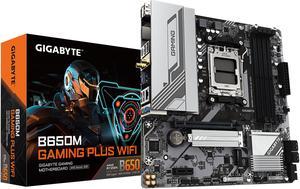
GIGABYTE B650M GAMING PLUS WIFI AM5 LGA 1718 AMD B650 M-ATX, DDR5, PCIe 4.0 M.2, PCIe 4.0, USB 3.2 Gen 1 Type-C, Wi-Fi 6E, 2.5GbE LAN
- Brand: GIGABYTE
- CPU Socket Type: AM5
- Chipset: AMD B650
- Serial ATA (SATA): 4 x SATA 6Gb/s
- Model #: B650M GAMING PLUS WIFI
- Item #: N82E16813145502
- Return Policy: Standard Return Policy
$159.99
$239.99
Free Shipping
It has everything plus WiFi
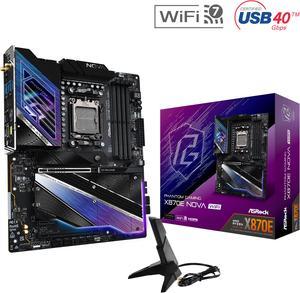
ASRock X870E NOVA WIFI AM5 ATX Motherboard
- Brand: ASRock
- CPU Socket Type: AM5
- Chipset: AMD X870E
- Serial ATA (SATA): 4 x SATA 6Gb/s
- Model #: X870E Nova WiFi
- Item #: N82E16813162163
- Return Policy: Standard Return Policy
$364.00
$499.00
Free Shipping
"This review for ASRock review rebate program" This motherboard offers outstanding value for its price range, delivering top-notch performance without any compromises when sharing PCIe and M.2 lanes. It boasts a durable build and an attractive design. Additionally, it features an EZ GPU release mechanism and toolless M.2 installation, making setup incredibly simple and hassle-free.
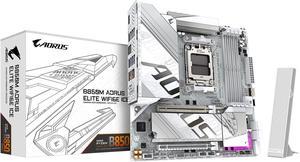
GIGABYTE B850M AORUS ELITE WIFI6E ICE AMD AM5 LGA 1718 Motherboard, mATX, DDR5, 2x M.2, PCIe 5.0, USB-C, WIFI6E, 2.5GbE LAN, EZ-Latch, 5-Year Warranty
- Brand: GIGABYTE
- CPU Socket Type: AM5
- Chipset: AMD B850
- Form Factor: Micro ATX
- Model #: B850M A ELT WF6E ICE
- Item #: N82E16813145549
- Return Policy: Standard Return Policy
$229.99
$299.99
$7.99 Shipping
- Looks great, particularly in an otherwise-white PC - Features work as specified
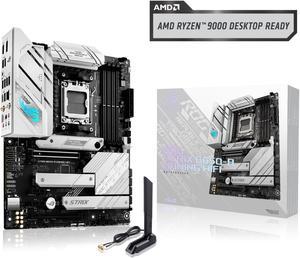
ASUS ROG Strix B650-A Gaming WiFi AMD B650 AM5 Ryzen™ Desktop 9000 8000 & 7000 ATX motherboard, 12 + 2 power stages, DDR5, 3x M.2 slot, PCIe® 4.0, 2.5G LAN, WiFi 6E, USB 3.2 Gen 2x2 Type-C®, Aura Sync
- Brand: ASUS
- CPU Socket Type: AM5
- Chipset: AMD B650
- Serial ATA (SATA): 4 x SATA 6Gb/s
- Model #: ROG STRIX B650-A GAMING WIFI
- Item #: N82E16813119606
- Return Policy: Standard Return Policy
$289.99
$309.99
Free Shipping
After 18 years of great service, my old ASUS 4 core AMD CPU motherboard died in my old custom HTPC after being unable to support some of its USB ports, and I decided it was time to build at least one new computer. This ROG STRIX B650-A looked to be a good deal and had everything I expected for a better than average build. After such a long time there was a learning curve, but I had modified Win 11 Pro some years back to run on my four pre UEFI BIOS computers - so I'm still somewhat capable even at 73. I worked slowly and methodically installing the board in a new Silverstone GD10B shelf case with a Seasonic FOCUS GX750 PSU, with an AMD Ryzen 5 8600G series processor and some new Corsair DDR5 PC6400 (2x16GB Vengeance RGB sticks - that weren't in the ASUS QVC listing). I reused my old Samsung 256 GB SSD and a Western Digital Purple 1 TB storage drive. I then download and burned a Win 11 Pro 23H2 ISO and installed the latest ASUS BIOS to a 32GB USB memory stick. This case is tight, but cable management worked well, and I had no problem mounting my ASUS BlueRay Dual Layer SATA burner drive, the 2.5 SATA SSD and the 3.5 SATA hard drive. First power up was uneventful as I watched the Aura lighting come on with the diagnostic lights showing correct operation. My SSD still had my modified pre UEFI WIN 11 Pro loaded and BIOS would not show a bootable drive but did show the drives as storage. I loaded the WIN 11 Pro ISO in my disc drive and Win 11 Pro loaded in 17 minutes. WiFi and Ethernet came Online and the computer ran so quiet I found myself looking at it repeatedly just to see if it was still on despite my HDMI monitor's screen. I then inserted the memory stick into the BIOS USB with the new .CAP BIOS with the computer turned off. I held the button in for three seconds for three flashes on the BIOS FlashBack and it ran for 4 minutes to completion. I then loaded all the ASUS utilities and used them to update some of the drivers with zero issues. I then hit activation for WIN 11 Pro and purchased a digital license from Microsoft. After activation, I made sure WIN 11 Pro was fully updated which added even more features. Once this was done, I re-entered the ASUS Armoury Crate utility and used it to further update all ASUS and AMD drivers. This PC runs very cool and extremely quiet using the three included case fans and CPU fan at 900-1000 RPM. 31-35 C. CPU cores and it still hasn't been running long enough to burn in the factory AMD Wraith Stealth cooler to the CPU. The PSU fan is also so quiet I had to look just to see if its fan was on (Seasonic has a back button that will turn it off).
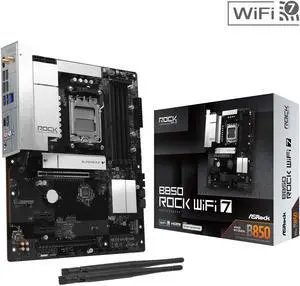
AMD B850 Rock WiFi 7 AM5 ATX Motherboards
- Brand: AMD
- CPU Socket Type: AM5
- Chipset: AMD B850
- Serial ATA (SATA): 4 x SATA 6Gb/s
- Model #: B850 Rock WiFi 7
- Item #: N82E16813162239
- Return Policy: Standard Return Policy
$149.99
$159.99
$19.99 Shipping
It has some good oc features Easy to install I/O shield pre-installed WiFi 7
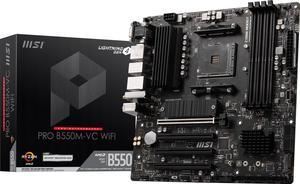
MSI PRO PRO B550M-VC WIFI AM4 MATX AMD Motherboard
- Brand: MSI
- CPU Socket Type: AM4
- Chipset: AMD B550
- Serial ATA (SATA): 4x SATA 6Gb/s ports
- Model #: PRO B550M-VC WIFI
- Item #: N82E16813144548
- Return Policy: Standard Return Policy
$139.99
$169.99
Free Shipping
Love the ease of the BIOs for OCing UI is perfect.