
Your Browsing History
Lowest price in 30 days


LOWEST PRICE
In AMD Motherboards
Shop Department
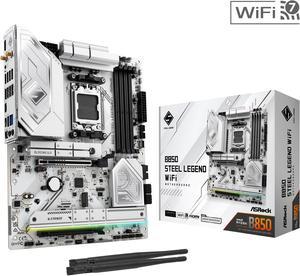
ASRock B850 STEEL LEGEND WIFI AM5 ATX Motherboard
- Brand: ASRock
- CPU Socket Type: AM5
- Chipset: AMD B850
- Serial ATA (SATA): 4 x SATA 6Gb/s
- Model #: B850 Steel Legend WiFi
- Item #: N82E16813162187
- Return Policy: Standard Return Policy
$189.99
$299.99
Free Shipping
It does its job and looks good doing it. I use SignalRgb to control LEDS
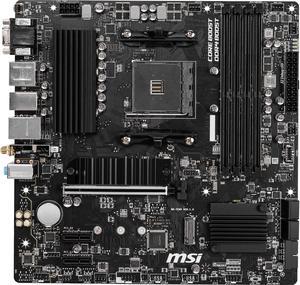
MSI PRO B550M PRO-VDH WIFI AM4 Micro ATX AMD Motherboard
- Brand: MSI
- CPU Socket Type: AM4
- Chipset: AMD B550
- Serial ATA (SATA): 4 x SATA 6Gb/s
- Model #: B550M PRO-VDH WIFI
- Item #: N82E16813144331
- Return Policy: Standard Return Policy
$119.99
$129.99
Free Shipping
What's not to like. AMD B550 Graphics onboard, Super fast bus speeds on a Micro ATX mobo. Installation was straight forward with no surprises. 4 SATA ports allows for plenty of drives and USB 2 & 3 make peripherals easy to install. It comes complete with Fantasy lights setup. The board has imprinted layouts for combination plugs and RAM to refresh your memory as to what goes where.
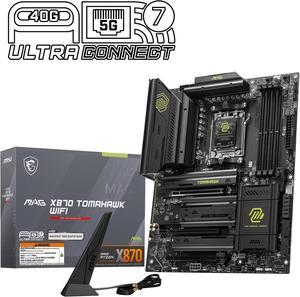
MSI MAG X870 TOMAHAWK WIFI AM5 ATX Gaming Motherboard, 4x SATA 6Gb/s, AMD Wi-Fi 7,USB 4.0
- Brand: MSI
- CPU Socket Type: AM5
- Chipset: AMD X870
- Serial ATA (SATA): 4 x SATA 6Gb/s
- Model #: MAG X870 TOMAHAWK WIFI
- Item #: N82E16813144667
- Return Policy: Standard Return Policy
$294.99
$364.99
Free Shipping
There are a lot of good things I can say about this motherboard, but briefly: - The EZ M.2 clips on the heatsink make it very easy to work with, and don't require any screws. - The back panel I/O includes more than I, or most people, will ever need. - The layout is well thought out - The features on this motherboard offer a good value - The EZ DIGI-DEBUG LED makes troubleshooting a breeze, should you have any issue with the system. - The UEFI is easy to use and setup.
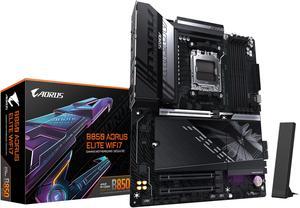
GIGABYTE B850 AORUS ELITE WIFI7 AMD AM5 LGA 1718 Motherboard, ATX, DDR5, 3x M.2, PCIe 5.0, USB-C, WIFI7, 2.5GbE LAN, EZ-Latch 5-Year Warranty
- Brand: GIGABYTE
- CPU Socket Type: AM5
- Chipset: AMD B850
- Form Factor: ATX
- Model #: B850 AORUS ELITE WF7
- Item #: N82E16813145545
- Return Policy: Standard Return Policy
$249.00
$339.00
Free Shipping
I'm so happy to have found this MOBO option. It's very easy to install and includes all features I've been looking for in a MOBO No unnecessary RGB and plenty of IO ports for all my needs.
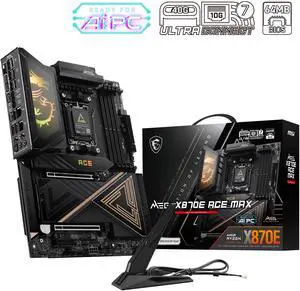
MSI MEG X870E ACE MAX AM5 AMD X870E Motherboard
- Model #: MEG X870E ACE MAX
- Item #: N82E16813144735
- Return Policy: Standard Return Policy
$849.99
$909.99
$29.99 Shipping
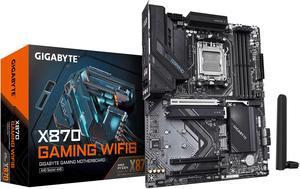
GIGABYTE X870 GAMING WIFI6 AM5 LGA 1718, ATX, DDR5, 3x M.2, PCIe 5.0, USB4, WIFI 6, 2.5GbE LAN, EZ-Latch, 5-Year Warranty
- Brand: GIGABYTE
- CPU Socket Type: AM5
- Chipset: AMD X870
- Serial ATA (SATA): 4 x SATA 6Gb/s
- Model #: X870 GAMING WIFI6
- Item #: N82E16813145522
- Return Policy: Standard Return Policy
$209.99
$289.99
Free Shipping
Since I got it up and running it hasn't failed me yet. I updated the bios without issue to F4i which as of writing is the newest. I didn't need to update the motherboard to run the 9800X3D; it was natively supported on the WiFi6 version of this motherboard (BIOS version F2) The Bios is easy to understand, though it is sparse. Where options to overclock aren't my concern and are left as they are, the boot option and Q-Flash are handy. I used the Q-Flash to Flash the F4i BIOS from GigaByte's BIOS webpage on a USB stick that came with my memory. I was pleasantly surprised that the system booted. I didn't know whether any of my components were good or bad. So when I booted it and finally saw one of my monitors I had plugged in beeping it's ___ line at start up I was thrilled. It did take a while and needs to be given time. About a minute. more or less. If I had to do it again, I would connect only one monitor to check if the system posted and wasn't just powered on. I have a 9800X3D installed, though I don't know whether the processing power helped or not to speed it up or whether a slower chip might slow the initial Boot down.
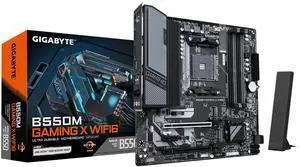
GIGABYTE B550M GAMING X WIFI6 AM4 Micro ATX Motherboard
- Brand: GIGABYTE
- CPU Socket Type: AM4
- Chipset: AMD B550
- Serial ATA (SATA): 4 x SATA 6Gb/s
- Model #: B550M GAMING X WIFI6
- Item #: N82E16813145586
- Return Policy: Standard Return Policy
$109.99
$129.99
Free Shipping
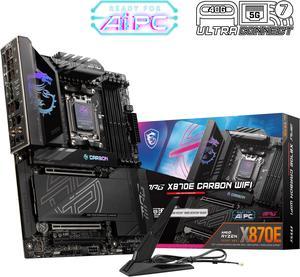
MSI MPG X870E CARBON AM5 ATX Gaming Motherboard, 4x SATA 6Gb/s, AMD Wi-Fi 7,USB 4.0
- Brand: MSI
- CPU Socket Type: AM5
- Chipset: AMD X870E
- Serial ATA (SATA): 4 x SATA 6Gb/s
- Model #: MPG X870E CARBON WIFI
- Item #: N82E16813144666
- Return Policy: Standard Return Policy
$519.99
$559.99
Free Shipping
- Excellent Connectivity: Includes 5GbE and 2.5GbE network ports, WiFi 7, and Bluetooth 5.4 with an external magnetic antenna, providing robust and future-proof network options. - Modern Features: Supports USB 4.0 and PCIe 5.0, ensuring the system remains up-to-date with the latest technology standards. - Easy Installation: Clear online documentation and good labeling on the board make installation straightforward, with no issues in connecting various components. - MSI Ecosystem Integration: Integrates well with other MSI components, such as cases, ARGB lighting, fans, and graphics cards, fitting perfectly and connecting without any problems. - Subtle ARGB Lighting: Even the ARGB on the board shrouds, which I always viewed as a little kitschy, are actually a very nice subtle touch inside an otherwise very dark box.
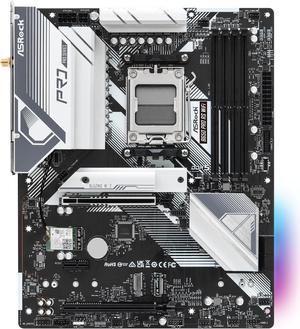
ASRock B650 Pro RS WiFi AM5 ATX Motherboard
- Brand: ASRock
- CPU Socket Type: AM5
- Chipset: AMD B650
- Serial ATA (SATA): 4 x SATA 6Gb/s
- Model #: B650 Pro RS WiFi
- Item #: N82E16813162185
- Return Policy: Standard Return Policy
$169.99
$219.99
$8.99 Shipping
It was very easy to setup, the BIOS comes with an easy mode to toggle, has a nice color and sleek design to it.
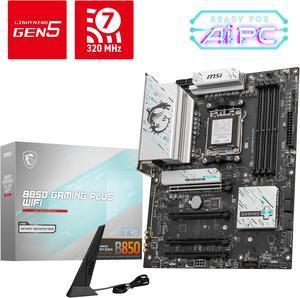
MSI B850 GAMING PLUS WIFI AM5 AMD B850 SATA 6Gb/s 5G Network DDR5 Wi-Fi 7 ATX Motherboard
- Brand: MSI
- CPU Socket Type: AM5
- Chipset: AMD B850
- Serial ATA (SATA): 4 x SATA 6Gb/s
- Model #: B850 GAMING PLUS WIFI
- Item #: N82E16813144688
- Return Policy: Standard Return Policy
$234.99
$294.99
Free Shipping
Looks great, very simple setup, online manual is available, packaging is nice and efficient, comes with everything needed!
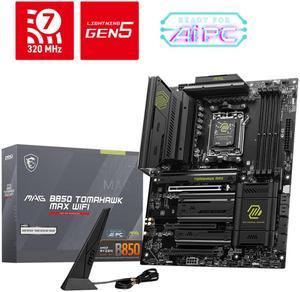
MSI MAG B850 TOMAHAWK MAX WIFI AM5 AMD B850 SATA 6Gb/s 5G Network Wi-Fi7 DDR5 Motherboard
- Brand: MSI
- CPU Socket Type: AM5
- Chipset: AMD B850
- Serial ATA (SATA): 4 x SATA 6Gb/s
- Model #: MAG B850 TOMAHAWK MAX WIFI
- Item #: N82E16813144697
- Return Policy: Standard Return Policy
$279.99
$319.99
Free Shipping
This was a major headache because I was trying to use the OnBoard graphics with a integrated AMD processor and I couldn't get video no matter what I tried so i took an old GPU from an old PC and didn't realize the old GPU's force the Bios into CSM mode vs UEFI but on top of that I think I had a HDMI cable that worked find on my BluRay player but not on the Onboard HDMI for this board. So I ended up spending $500 on a new GPU i was trying to avoid spending money on. That's what I get for trying to go cheap i guess.
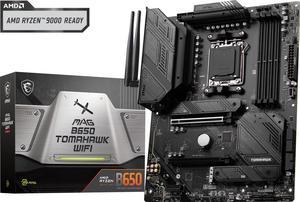
MSI MAG B650 TOMAHAWK WIFI AM5 AMD B650 SATA 6Gb/s DDR5 Ryzen 7000 ATX Motherboard
- Brand: MSI
- CPU Socket Type: AM5
- Chipset: AMD B650
- Serial ATA (SATA): 6x SATA 6Gb/s ports (From B650 chipset) - SATA_1_2/ SATA_3_4 (From B650 chipset) - SATA_A1_A2 (From ASM1061)
- Model #: MAG B650 TOMAHAWK WIFI
- Item #: N82E16813144557
- Return Policy: Standard Return Policy
$209.99
$294.99
Free Shipping
I found it very easy to install and get working. I was planning to initially reimage my PC after install but it booted right up and MSI installed everything I needed to get going so I was able to avoid a windows re-install.
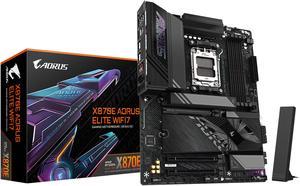
GIGABYTE X870E AORUS ELITE WIFI7 AM5 LGA 1718, ATX, DDR5, 4x M.2, PCIe 5.0, USB4, Wi-Fi 7, 2.5GbE LAN, EZ-Latch, 5-Year Warranty
- Brand: GIGABYTE
- CPU Socket Type: AM5
- Chipset: AMD X870E
- Serial ATA (SATA): 4 x SATA 6Gb/s
- Model #: X870E AORUS ELITE WIFI7
- Item #: N82E16813145517
- Return Policy: Standard Return Policy
$369.99
$439.99
$19.99 Shipping
Fast, reliable
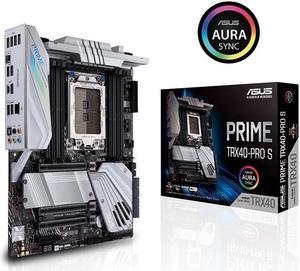
ASUS PRIME TRX40-PRO S sTRX4 AMD TRX40 SATA 6Gb/s ATX AMD Motherboard
- Brand: ASUS
- CPU Socket Type: sTRX4
- Chipset: AMD TRX40
- Serial ATA (SATA): 8 x SATA 6Gb/s
- Model #: PRIME-TRX40-PRO-S
- Item #: 9SIC4RVKRU8764
- Return Policy: View Return Policy
$532.65
$582.65
$29.99 Shipping
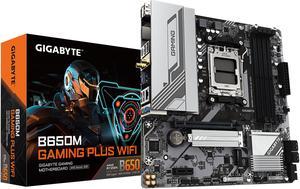
GIGABYTE B650M GAMING PLUS WIFI AM5 LGA 1718 AMD B650 M-ATX, DDR5, PCIe 4.0 M.2, PCIe 4.0, USB 3.2 Gen 1 Type-C, Wi-Fi 6E, 2.5GbE LAN
- Brand: GIGABYTE
- CPU Socket Type: AM5
- Chipset: AMD B650
- Serial ATA (SATA): 4 x SATA 6Gb/s
- Model #: B650M GAMING PLUS WIFI
- Item #: N82E16813145502
- Return Policy: Standard Return Policy
$159.99
$239.99
Free Shipping
- Holds parts in its slots
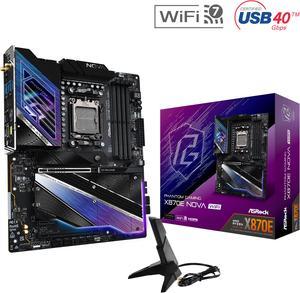
ASRock X870E NOVA WIFI AM5 ATX Motherboard
- Brand: ASRock
- CPU Socket Type: AM5
- Chipset: AMD X870E
- Serial ATA (SATA): 4 x SATA 6Gb/s
- Model #: X870E Nova WiFi
- Item #: N82E16813162163
- Return Policy: Standard Return Policy
$364.00
$499.00
Free Shipping
- No lane sharing with the primary GPU slot Lots of VRM - 8 Layer PCB - 5 M.2 expansion slots - Includes backplate - PCIe EZ Release - 5Gbps LAN - Bios Flashback Button -Extra USB 4s - Future proofed PCIE 5.0 slot - Wifi 7
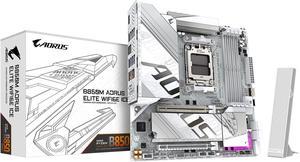
GIGABYTE B850M AORUS ELITE WIFI6E ICE AMD AM5 LGA 1718 Motherboard, mATX, DDR5, 2x M.2, PCIe 5.0, USB-C, WIFI6E, 2.5GbE LAN, EZ-Latch, 5-Year Warranty
- Brand: GIGABYTE
- CPU Socket Type: AM5
- Chipset: AMD B850
- Form Factor: Micro ATX
- Model #: B850M A ELT WF6E ICE
- Item #: N82E16813145549
- Return Policy: Standard Return Policy
$229.99
$299.99
$7.99 Shipping
The list of the pros is way too long!!!!
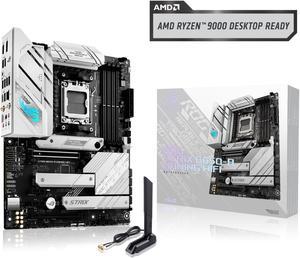
ASUS ROG Strix B650-A Gaming WiFi AMD B650 AM5 Ryzen™ Desktop 9000 8000 & 7000 ATX motherboard, 12 + 2 power stages, DDR5, 3x M.2 slot, PCIe® 4.0, 2.5G LAN, WiFi 6E, USB 3.2 Gen 2x2 Type-C®, Aura Sync
- Brand: ASUS
- CPU Socket Type: AM5
- Chipset: AMD B650
- Serial ATA (SATA): 4 x SATA 6Gb/s
- Model #: ROG STRIX B650-A GAMING WIFI
- Item #: N82E16813119606
- Return Policy: Standard Return Policy
$289.99
$309.99
Free Shipping
- Works great - Easy Setup - Lots of features
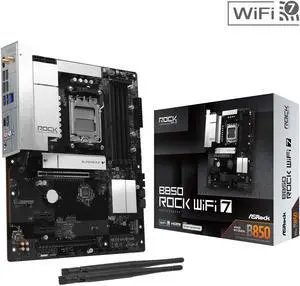
AMD B850 Rock WiFi 7 AM5 ATX Motherboards
- Brand: AMD
- CPU Socket Type: AM5
- Chipset: AMD B850
- Serial ATA (SATA): 4 x SATA 6Gb/s
- Model #: B850 Rock WiFi 7
- Item #: N82E16813162239
- Return Policy: Standard Return Policy
$149.99
$159.99
$19.99 Shipping
Did someone say USB?! If you run a VR or sim racing rig and need lots of USB ports, this board is the one for you. You get 14 USB ports just on the rear panel, with USB 2.0, 3.1 and 3.2 front panel connectors for even more. The top PCIe slot is gen 5, so it will support any new GPU upgrades for a long time. VRM is very strong too, so it should be able to handle a 9950X without a sweat. It handles my overclocked 7700 just fine. On board audio is also a nice spec but you probably already have an audio interface if you're getting a board like this. All NVME slots area tool-less style, but you still need to unscrew the heatsink for slots 2 and 3. The top NVME slot has cooling pads on both sides so it should be able to cool gen5 SSDs decently well. I don't have a gen5 drive so I can't test this.
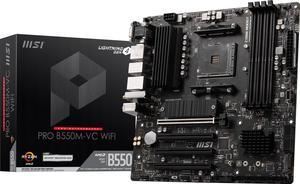
MSI PRO PRO B550M-VC WIFI AM4 MATX AMD Motherboard
- Brand: MSI
- CPU Socket Type: AM4
- Chipset: AMD B550
- Serial ATA (SATA): 4x SATA 6Gb/s ports
- Model #: PRO B550M-VC WIFI
- Item #: N82E16813144548
- Return Policy: Standard Return Policy
$139.99
$169.99
Free Shipping